Reviews
Ihre Grafiken verleihen meinen Präsentationen eine nette Note, und ich habe sie kürzlich für eines meiner All-Hands-Meetings verwendet. Ihre Toolbox verleiht meinen Folien Professionalität, anstatt Standard-Clipart zu verwenden.
Ich brauchte einen neuen Blick auf einige meiner Folien. Ich habe versucht, einen Weg zu finden, einen Pinselschlag-Effekt zu erzielen, um zu unterstreichen, hervorzuheben, Farbe hinzuzufügen, und die handgeschriebenen Markierungen waren genau das Richtige. Sehr einfach zu bedienen, leicht in der Größe zu ändern, die Farbe zu ändern. Es war eine erschwingliche, perfekte Lösung und ich empfehle sie gerne weiter.
Die klare, saubere Optik der Grafiken und die Tatsache, dass ich die Farben leicht bearbeiten und an die Vorlage anpassen konnte, war mein Hauptgrund für den Kauf.
Description
Presentation Agenda Outline – 6 Numbered Sections
Slide Content
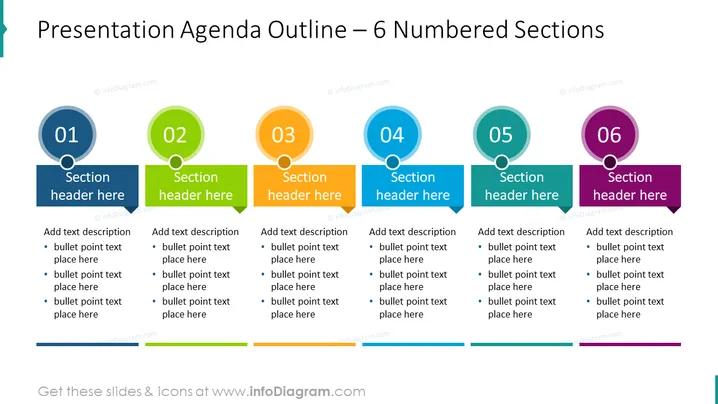
The slide presents a structured agenda outline with six numbered sections, each accommodating a title and bullet points for detailed content. Section 01 to Section 06 are to be used to outline the primary topics or segments of a presentation. Each section has a placeholder text area where specific information can be inserted. For instance, a "Section header here" indicates where a title or topic summary is to be written, while the bullet points below are for expanding on the subject, detailing subtopics, or listing talking points.
Graphical Look
- A horizontal layout with six distinct content blocks evenly spaced across the slide
- Each block contains a large circle with a number from 01 to 06 and is color-coded in blue, green, orange, teal, and purple
- Below each number, there's a banner shape for the section title, matching the color of the associated circle
- Each section includes a text box with bullet points for additional descriptions
- A line at the bottom of the slide unifies all sections horizontally
The overall look is clean and organized, using a rainbow of distinct colors to differentiate each section. This visualization helps in guiding the audience through the presentation's agenda in a visually appealing and structured manner.
Use Cases
- Outlining the main topics of a corporate business meeting or workshop to provide attendees with a clear roadmap
- Structuring educational or training sessions to help participants understand the sequence of content to be covered
- Guiding a conference or seminar presentation to keep track of multiple sessions or speakers
- Offering a high-level overview of project milestones or status updates in a management or team meeting
How to Edit
How to edit text & colors

How to expand / shorten diagram

How to Replace Icons in infoDiagram PPT


