Reviews
Sus gráficos añaden un toque agradable a mis presentaciones y recientemente los usé para una de mis reuniones generales. Su conjunto de herramientas añade profesionalismo a mis diapositivas. En lugar de usar imágenes prediseñadas estándar.
Necesitaba un aspecto fresco para algunas de mis diapositivas. Había intentado encontrar una forma de crear un efecto de pincel, de subrayar, acentuar, añadir algo de color y los marcadores escritos a mano fueron justo lo que necesitaba. Muy fácil de usar, fácil de ajustar el tamaño, cambiar el color. Fue una solución asequible y perfecta, y estoy feliz de recomendarla.
El aspecto nítido y limpio de los gráficos, y el hecho de que me permitiera editar y cambiar fácilmente los colores para que coincidieran con la plantilla fue mi principal razón para comprarlos.
Description
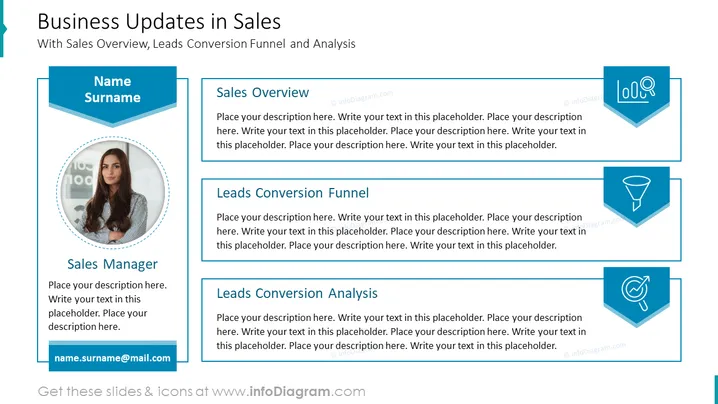
Business Updates in Sales
Slide content:
- Sales overview: This section provides a summary of the company's sales performance, including revenue, number of customers, and average order value.
- Leads conversion funnel: This section shows the number of leads at each stage of the sales funnel, from initial contact to closed won.
- Leads conversion analysis: This section provides insights into the leads conversion process, such as which lead sources are most effective and which stages of the funnel are most prone to drop-off.
Graphical look:
- Shapes: The slide uses a variety of shapes to represent the different data points, including circles, rectangles, and lines.
- Colors: The slide uses a bright and bold color scheme, with mostly primary and secondary colors. This helps to make the data visually appealing and easy to understand.
- Icons: You can use icons to represent different concepts, such as a dollar sign for revenue and a funnel for the leads conversion funnel.
- Composition: The slide is divided into three main sections, one for each of the three main content areas. The sections are arranged in a horizontal row, with the sales overview in the middle and the leads conversion funnel and analysis on either side. This helps to create a balanced and visually appealing composition.
Overall, the slide is visually appealing and well-organized. The use of shapes, colors, icons, and composition is effective in communicating the key data points and insights.

Use Cases
- To provide a summary of the company's sales performance to stakeholders.
- To identify areas where sales can be improved.
- To track the progress of sales initiatives over time.
- To share insights from the sales team with other departments, such as marketing or product development.
- To use as a starting point for a more detailed discussion of sales performance.
How to Edit
How to edit text & colors

How to expand / shorten diagram

How to Replace Icons in infoDiagram PPT

