Reviews
Your slides are my "secret sauce" when it comes to presenting my ideas to clients. I save a lot of time.
J'avais un délai de livraison à respecter et je n'avais pas le temps de créer une variété de modèles de diapositives. Infodiagram m'a proposé des options faciles à télécharger et à personnaliser en fonction de mes besoins !
Vos diapositives suscitent souvent de précieux commentaires et idées de la part de mon équipe, ce qui améliore les diapositives finales.
Description
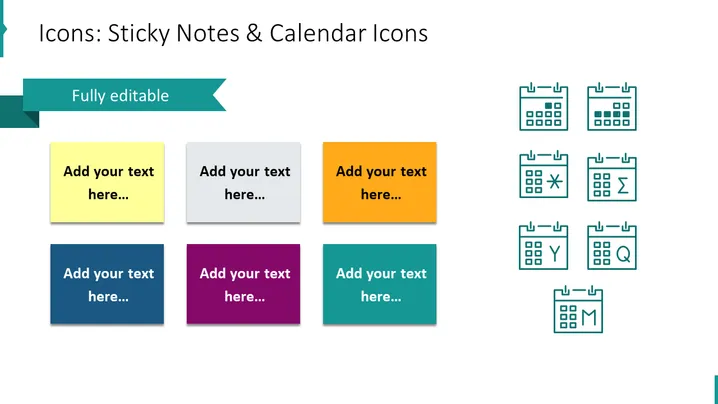
Icons: Sticky Notes & Calendar Icons
Slide Content
This PowerPoint slide is about icons representing sticky notes and calendar icons. There are six colored sticky note icons, each with a placeholder text saying "Add your text here..." which implies customization for various presentation needs. These sticky notes are colored yellow, grey, orange, blue, purple, and teal, providing a variety of options. Additionally, there are eight calendar icons with different symbols inside them, such as a cross, sum sign, greater/less than, a check mark, a magnifying glass, and the letters Y and M. These symbols could represent tasks like cancellation, calculation, evaluation, confirmation, search, and time-specific notations or deadlines.
Graphical Look
- The slide has a clean, modern design with a white background.
- There are six colorful sticky note icons arranged in two rows on the left side of the slide.
- Each sticky note features a drop shadow, giving it a slightly three-dimensional appearance.
- Eight calendar icons are displayed in two rows on the right, with simple line art style and teal color.
- A decorative turquoise banner runs across the top left corner with the text "Fully editable," indicating that the content can be modified.
The slide as a whole uses a balanced layout with clear division between the sticky note icons and calendar icons. The color scheme is diverse yet harmonious, providing visual interest without being overwhelming.
Use Cases
- To outline key tasks and deadlines in project management presentations.
- In planning sessions to mark important dates and milestones.
- During strategy meetings for assigning responsibilities and action items.
- As a visual aid for workshops or seminars to discuss time management and organization.
How to Edit
How to edit text & colors

How to expand / shorten diagram

How to Replace Icons in infoDiagram PPT


