Reviews
Your graphics add a nice touch to my presentations and I recently used them for one of my all-hands meetings. Your toolbox adds professionalism to my slides. Instead of using standard clipart.
I needed a fresh look at some of my slides. I've tried to find a way to create a paintbrush effect, to underline, accentuate, add some color and the handwritten markers were just the things. Very easy to use, easy to size, change the color. It was an affordable, perfect solution and I'm happy to recommend it.
The crisp, clean look of the graphics, and the fact that it allowed me to easily edit and change the colors to match the template was my main reason for purchasing them.
Description
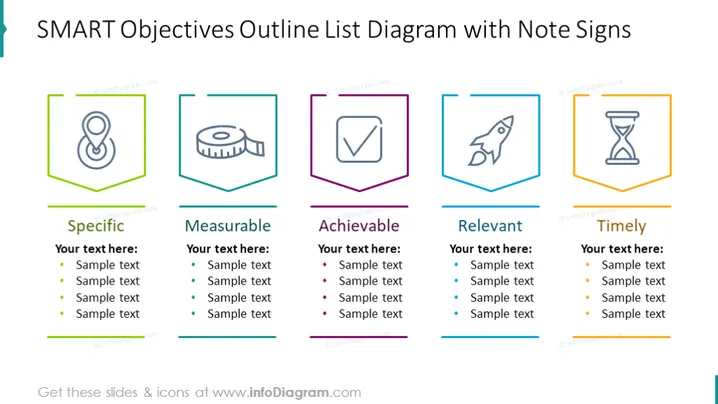
SMART Objectives Outline List Diagram with Note Signs
Slide Content
The PowerPoint slide presents the SMART objectives framework, represented in a list diagram accompanied by note signs. "Specific" refers to clearly defining what you want to achieve; "Measurable" means setting criteria to track progress; "Achievable" suggests setting obtainable objectives; "Relevant" emphasizes aligning goals with broader objectives; and "Timely" underlines the importance of setting time frames for goals. Each term is paired with an icon symbolizing its concept and placeholder text for further detail.
Graphical Look
- The slide background is white.
- There are five colored header boxes with corresponding icons, each having a distinct border color: green, blue, purple, light blue, and orange.
- Each header contains a keyword: Specific, Measurable, Achievable, Relevant, and Timely.
- Below each header, there is a text box for expanding on the concept with placeholder text listed in bullet points.
- The icons are stylized and abstract representing a pin, tape measure, checklist, rocket, and hourglass to symbolize each SMART concept.
- Each category is separated by thin lines matching the border colors of the headers.
The overall look of the slide is clean and colorful with a structured format that encourages focus on each aspect of the SMART objectives framework.
Use Cases
- Presenting project plans and aligning the team on goals during kickoff meetings.
- Conducting workshops or training sessions on goal setting and project management.
- Evaluating and refining business strategies during management or team meetings.
- Setting personal development objectives in performance reviews or coaching sessions.
How to Edit
How to edit text & colors

How to expand / shorten diagram

How to Replace Icons in infoDiagram PPT


