Reviews
Sus gráficos añaden un toque agradable a mis presentaciones y recientemente los usé para una de mis reuniones generales. Su conjunto de herramientas añade profesionalismo a mis diapositivas. En lugar de usar imágenes prediseñadas estándar.
Necesitaba un aspecto fresco para algunas de mis diapositivas. Había intentado encontrar una forma de crear un efecto de pincel, de subrayar, acentuar, añadir algo de color y los marcadores escritos a mano fueron justo lo que necesitaba. Muy fácil de usar, fácil de ajustar el tamaño, cambiar el color. Fue una solución asequible y perfecta, y estoy feliz de recomendarla.
El aspecto nítido y limpio de los gráficos, y el hecho de que me permitiera editar y cambiar fácilmente los colores para que coincidieran con la plantilla fue mi principal razón para comprarlos.
Description
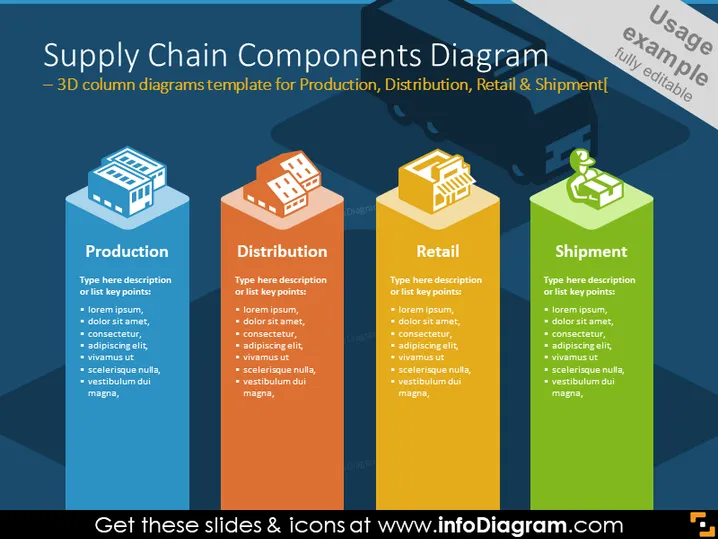
Supply Chain Components Diagram – 3D column diagrams template for Production, Distribution, Retail & Shipment
Slide Content
The slide shows a visual representation of the supply chain components, including Production, Distribution, Retail, and Shipment. Each component is described with a placeholder text, suggesting that the presenter can replace it with specific details or key points relevant to their topic. Production might detail the manufacturing process, Distribution might focus on logistics, Retail could describe sales channels, and Shipment might cover delivery aspects.
Graphical Look
- The slide background is a dark navy blue.
- Four vertical 3D columns in different colors: blue, orange, red, and green, each representing a different component of the supply chain.
- Each column is topped with an icon: a factory for Production, a box for Distribution, a shopping basket for Retail, and a truck for Shipment.
- Each component column is accompanied by a text box with a white background. The text boxes contain a title and placeholder bullet points in a sans-serif font.
- The titles for each component—"Production," "Distribution," "Retail," "Shipment"—are in a bold, white font, making them stand out against the dark background.
- The overview is enhanced by numbers 1-4, corresponding to each step in the supply chain process, adding a sequential order to the diagram.
The slide has a structured and modern design, using colors and shapes to differentiate and emphasize different sections of the supply chain. The use of 3D columns and icons helps to create a visually engaging representation of the concepts described.
Use Cases
- To introduce or explain the stages of a company's supply chain during a business meeting or training session.
- To compare and contrast different areas of operational focus within a company during a strategic planning presentation.
- In a sales pitch to potential clients or partners, to highlight the robustness and efficiency of the supply chain.
- For educational purposes, such as teaching students about the elements of supply chain management in a business course.
How to Edit
How to edit text & colors

How to expand / shorten diagram

How to Replace Icons in infoDiagram PPT


