Reviews
Sus gráficos añaden un toque agradable a mis presentaciones y recientemente los usé para una de mis reuniones generales. Su conjunto de herramientas añade profesionalismo a mis diapositivas. En lugar de usar imágenes prediseñadas estándar.
Necesitaba un aspecto fresco para algunas de mis diapositivas. Había intentado encontrar una forma de crear un efecto de pincel, de subrayar, acentuar, añadir algo de color y los marcadores escritos a mano fueron justo lo que necesitaba. Muy fácil de usar, fácil de ajustar el tamaño, cambiar el color. Fue una solución asequible y perfecta, y estoy feliz de recomendarla.
El aspecto nítido y limpio de los gráficos, y el hecho de que me permitiera editar y cambiar fácilmente los colores para que coincidieran con la plantilla fue mi principal razón para comprarlos.
Description
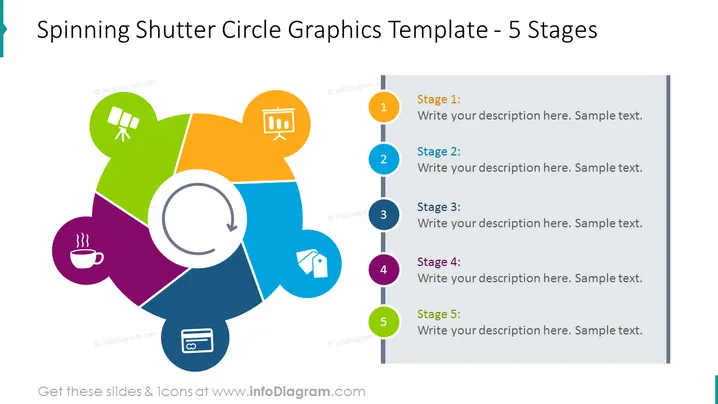
Spinning Shutter Circle Graphics Template - 5 Stages
Slide Content
The slide represents a process divided into five stages, illustrated by a spinning shutter comprised of colorful segments around a central circle. Each segment corresponds to a stage and is associated with an icon that symbolically represents a step. The stages are labeled as "Stage 1" through "Stage 5," with adjacent placeholders for writing descriptions—these represent sequential elements of a process or timeline, where each stage leads to the next.
Graphical Look
- The slide background is a clean white, providing a stark contrast to the colored elements.
- Centered on the slide is a large circular graphic depicting a spinning shutter, formed by five colored segments in green, orange, blue, violet, and lime.
- Each segment of the shutter features a unique icon that could represent different aspects of a process: satellite dish, presentation chart, house, coffee cup, and credit card.
- A curved arrow graphic encircles the central circle, indicating rotational or cyclic motion.
- To the right of the central graphic is a vertical line connecting five circular nodes, each corresponding to one of the colors and stages of the spinning shutter.
- Each node is numbered from one to five, with text placeholders next to them for stage descriptions.
The overall design is modern and vibrant, with a professional and structured appearance. The colorfulness of the graphic elements facilitates a visually engaging presentation of a process or sequence.
Use Cases
- To illustrate the phases of a project lifecycle during a business presentation.
- For explaining the steps involved in a marketing or sales strategy.
- To showcase the flow of a manufacturing or development process.
- In an educational or training setting to outline a multi-step concept or procedure.
How to Edit
How to edit text & colors

How to expand / shorten diagram

How to Replace Icons in infoDiagram PPT


