

Your graphics add a nice touch to my presentations and I recently used them for one of my all-hands meetings. Your toolbox adds professionalism to my slides. Instead of using standard clipart.
Claude Jones, Director of Engineer, @Walmartlabs, USA

Your graphics add a nice touch to my presentations and I recently used them for one of my all-hands meetings. Your toolbox adds professionalism to my slides. Instead of using standard clipart.
Claude Jones, Director of Engineer, @Walmartlabs, USA
I needed a fresh look at some of my slides. I've tried to find a way to create a paintbrush effect, to underline, accentuate, add some color and the handwritten markers were just the things. Very easy to use, easy to size, change the color. It was an affordable, perfect solution and I'm happy to recommend it.
Anonymous, US
The crisp, clean look of the graphics, and the fact that it allowed me to easily edit and change the colors to match the template was my main reason for purchasing them.
Brandie Jenkins, E-learning Developer, USA
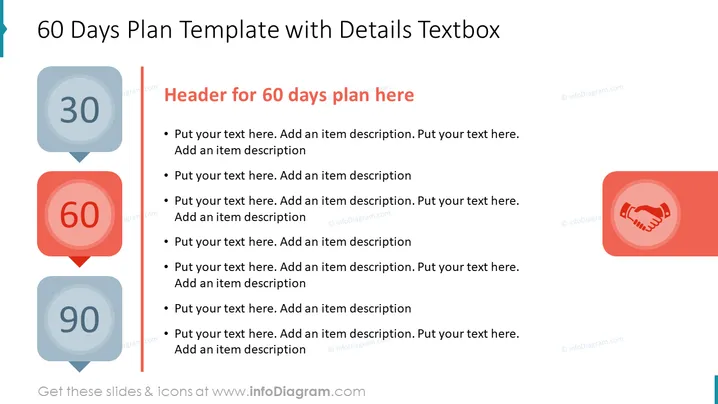
The slide is dedicated to outlining a 60-day action plan, providing a structured format for presenting mid-term goals and objectives. The template invites users to list specific tasks or steps in bullet point form, which are to be achieved or implemented over a two-month period. This may include deeper engagement with projects, evolving strategies, or building upon the initial 30-day plan with expanded scopes or responsibilities.
The slide design is straightforward and visually balanced, utilizing color contrasts to highlight the 60-day focus while maintaining a clean aesthetic. The handshake icon suggests a theme of agreement or teamwork.
This slide is ideal for use in business presentations during mid-term project reviews, strategy updates, or phase transitions where progress from the first month is reviewed and plans for the following month are laid out. It can be useful in a variety of settings, from team meetings to stakeholder briefings.



