Reviews
Your graphics add a nice touch to my presentations and I recently used them for one of my all-hands meetings. Your toolbox adds professionalism to my slides. Instead of using standard clipart.
I needed a fresh look at some of my slides. I've tried to find a way to create a paintbrush effect, to underline, accentuate, add some color and the handwritten markers were just the things. Very easy to use, easy to size, change the color. It was an affordable, perfect solution and I'm happy to recommend it.
The crisp, clean look of the graphics, and the fact that it allowed me to easily edit and change the colors to match the template was my main reason for purchasing them.
Description
Agenda Template - Notebook Shape Table of Content
Slide Content
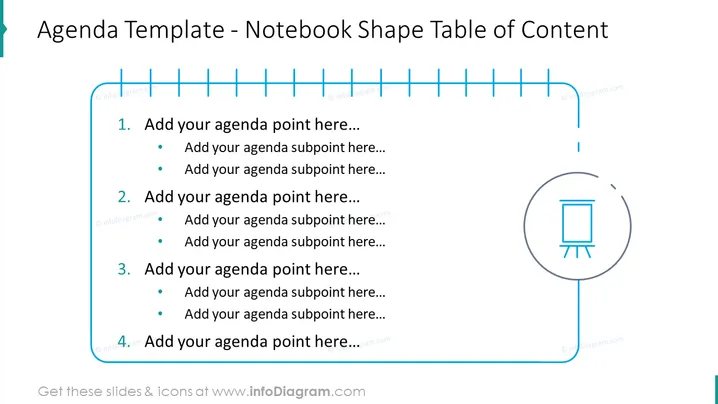
The slide is titled "Agenda Template - Notebook Shape Table of Content" and presents a stylized format for an agenda. It visually mimics a notebook with four numbered entries, each accompanied by space to add subpoints. This depiction suggests that the template is ideal for organizing the main topics and associated details for a presentation or meeting, reinforcing the structure with a clear, easy-to-follow layout.
Graphical Look
- The background of the slide is white which makes the blue elements stand out.
- A light blue, notebook-like vertical line is present on the left-hand side, simulating the notebook's spiral binding.
- Horizontal lines run across the top, representing the wire binding of a notebook.
- Each agenda point is numbered from 1 to 4, with corresponding light blue circles containing white numbers.
- Text placeholders are provided for each agenda point and its subpoints, indicated by bullet points. The text is formatted in a bold, readable font.
- On the right, there is a larger circle with an icon in the middle, resembling a presentation board or flipchart.
- The colors used are varying shades of blue, creating a thematic consistency throughout the slide.
The slide has a simple and clean design with pops of color for visual interest. The notebook metaphor is clear and consistent, providing a visually intuitive organization for presentation content.
Use Cases
- To present the structure of a meeting or conference, guiding attendees through the scheduled topics.
- As an introductory slide in a business presentation to give an overview of the discussion points.
- For educational or training sessions to outline the curriculum or subjects to be covered.
- In project management meetings to lay out the agenda for project updates, decision points, and deliverables.
How to Edit
How to edit text & colors

How to expand / shorten diagram

How to Replace Icons in infoDiagram PPT


