Reviews
Ihre Grafiken verleihen meinen Präsentationen eine nette Note, und ich habe sie kürzlich für eines meiner All-Hands-Meetings verwendet. Ihre Toolbox verleiht meinen Folien Professionalität, anstatt Standard-Clipart zu verwenden.
Ich brauchte einen neuen Blick auf einige meiner Folien. Ich habe versucht, einen Weg zu finden, einen Pinselschlag-Effekt zu erzielen, um zu unterstreichen, hervorzuheben, Farbe hinzuzufügen, und die handgeschriebenen Markierungen waren genau das Richtige. Sehr einfach zu bedienen, leicht in der Größe zu ändern, die Farbe zu ändern. Es war eine erschwingliche, perfekte Lösung und ich empfehle sie gerne weiter.
Die klare, saubere Optik der Grafiken und die Tatsache, dass ich die Farben leicht bearbeiten und an die Vorlage anpassen konnte, war mein Hauptgrund für den Kauf.
Description
Alternative Solutions Comparison
Slide Content
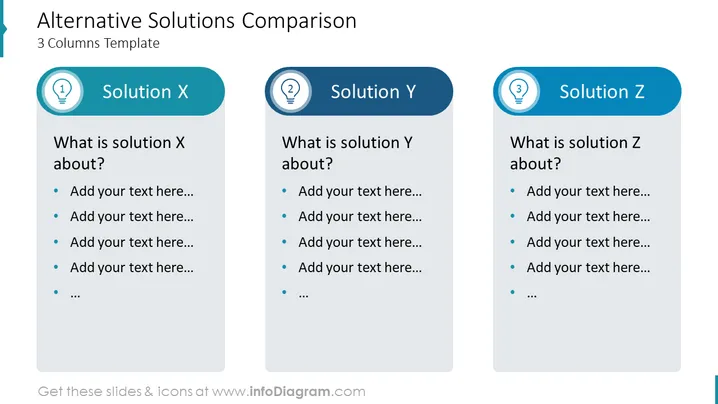
The slide presents a comparative template for three different alternatives labeled Solution X, Solution Y, and Solution Z. Each solution is followed by a question about the nature of the solution ("What is solution X about?") and bullet points where explanatory text can be added. The design is structured to help compare the key characteristics or details of each presented solution.
Graphical Look
- The slide has a clean and professional design with a dominant blue and white color scheme.
- It is divided into three equal vertical columns, each dedicated to one of the solutions, labeled X, Y, and Z.
- At the top of each column, there is a stylized header with a rounded rectangle containing the solution letter and name, such as "Solution X".
- Each header is preceded by a circular icon with numbers 1 to 3, suggesting an ordered comparison.
- The body of each column underneath the header consists of a rectangular text box with placeholder text and bullet points.
- The colors of the icons, headers, and text boxes are coordinated with shades of blue, providing a harmonious appearance.
- Text is formatted consistently across the columns for a unified and balanced look.
The overall look of the slide is modern, clean, and well-organized. The use of icons, colors, and structured text areas supports a clear comparative analysis of three different alternatives.
Use Cases
- This slide can be used in business presentations to compare the pros and cons of different strategies or solutions.
- Ideal for product comparison, highlighting features and differences between three competitive products in marketing presentations.
- In project management or decision-making meetings to visually summarize the options available for a project.
- For educational purposes, such as teaching comparative analysis or critical thinking, where scenarios or theories are to be evaluated side by side.
How to Edit
How to edit text & colors

How to expand / shorten diagram

How to Replace Icons in infoDiagram PPT


