Reviews
Deine Folien sind meine 'geheime Zutat', wenn es darum geht, meine Ideen Kunden zu visualisieren. Ich spare so viel Zeit.
Ihre Folien führen oft zu guten Kommentaren und Ideen meines Teams, die die endgültigen Folien verbessern.
Description
August (EU)
Slide Content
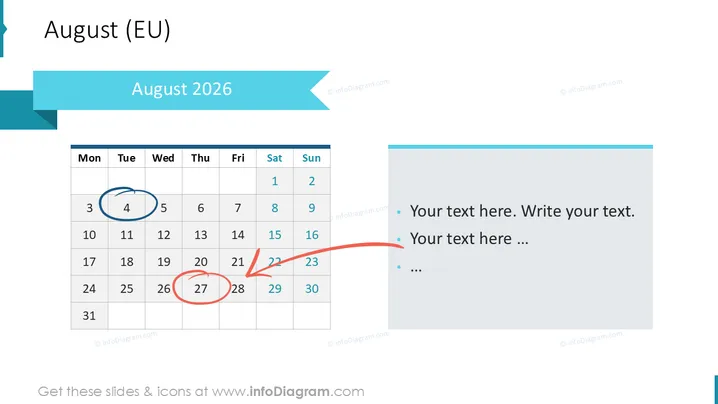
The slide features a calendar for August 2026 , highlighting the European date format with Monday as the week's start. Two specific dates are accentuated—a circular blue mark around the 5th, and a winding red arrow pointing to the 28th. These annotations might indicate important dates, events, or deadlines, providing a visual cue to remember. In a separate text box, there are bullet points for additional information, signaling that it's possible to annotate corresponding details or actions related to these dates.
Graphical Look
- The slide's background is white, ensuring a clean and professional appearance.
- At the top, the title "August 2025" is presented in a large, bold, sans-serif font, set within a light blue banner that matches the color theme.
- A stylized ribbon graphic in the same light blue shade is located at the top right corner, adding to the slide's visual appeal and color consistency.
- The calendar occupies the left portion of the slide, laid out in a traditional grid with columns marked for each weekday.
- Circular and arrow-shaped marks are drawn in blue and red on certain dates of the calendar for emphasis.
- On the right, a rectangular, light blue text box contains bullet points with placeholder text, ready to be customized with relevant information.
The slide has a minimalist design, with a clear focus on the calendar and places for notes, using a cohesive blue color scheme that lends a tranquil and organized aesthetic.
Use Cases
- For project planning presentations to highlight key milestones and deadlines.
- In marketing meetings to underline important campaign dates.
- Within educational or training settings to schedule classes, exams, or important academic events.
- For personal or professional productivity workshops to teach time management and planning strategies.
How to Edit
How to edit text & colors

How to expand / shorten diagram

How to Replace Icons in infoDiagram PPT


