Reviews
Ihre Grafiken verleihen meinen Präsentationen eine nette Note, und ich habe sie kürzlich für eines meiner All-Hands-Meetings verwendet. Ihre Toolbox verleiht meinen Folien Professionalität, anstatt Standard-Clipart zu verwenden.
Ich brauchte einen neuen Blick auf einige meiner Folien. Ich habe versucht, einen Weg zu finden, einen Pinselschlag-Effekt zu erzielen, um zu unterstreichen, hervorzuheben, Farbe hinzuzufügen, und die handgeschriebenen Markierungen waren genau das Richtige. Sehr einfach zu bedienen, leicht in der Größe zu ändern, die Farbe zu ändern. Es war eine erschwingliche, perfekte Lösung und ich empfehle sie gerne weiter.
Die klare, saubere Optik der Grafiken und die Tatsache, dass ich die Farben leicht bearbeiten und an die Vorlage anpassen konnte, war mein Hauptgrund für den Kauf.
Description
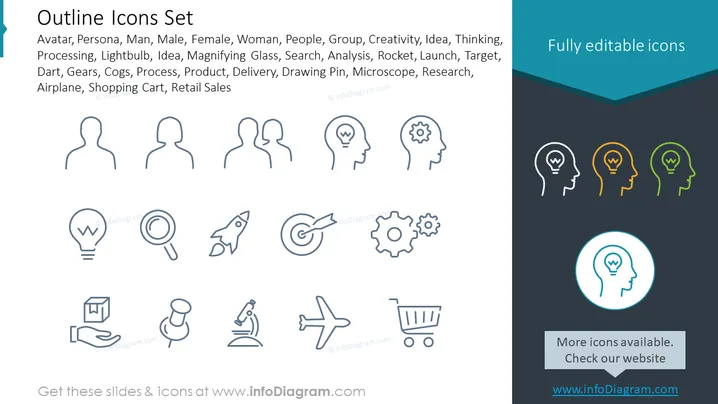
Outline Icons Set
Slide Content
The PowerPoint slide titled "Outline Icons Set" showcases a collection of icons representing various concepts and elements. The slide lists icons for Avatar, Persona, Man, Male, Female, Woman, People, and Group which relate to different user or demographic representations. It includes icons for Creativity, Idea, Thinking, and Processing which symbolize mental processes and innovation. Icons for Lightbulb and Idea reflect inspiration and innovation. A Magnifying Glass represents Search or Analysis functions. A Rocket symbolizes Launch or Speed, while a Target suggests goals or objectives. Gears and Cogs represent Mechanical or Process operations. Product and Delivery icons symbolize the commerce and distribution chain. Drawing Pin and Microscope represent Research and Precision, and Airplane and Shopping Cart reflect Travel and Retail Sales respectively.
Graphical Look
- The slide has a light blue background with a darker blue footer area.
- It features a three-column structure displaying a set of line icons.
- Each icon is designed with simplicity, using clean lines and minimal detail.
- The icons are uniformly styled and have been created in an outlined format, without any fill.
- Icons vary from human silhouettes to common symbols like gears and light bulbs.
- There's a prominent circle around one of the icons, setting it apart from the others.
- The slide header is in a larger, bold font, while the list of represented concepts is in a smaller font.
- The design is flat, with no gradients or 3D effects.
- Icons are dark gray, but there are three lightbulb icons highlighted in yellow, green, and teal.
The overall look of the slide is modern and minimalistic. The use of color highlights on specific icons adds a touch of visual interest to an otherwise monochrome palette.
Use Cases
- To present the range of services or features offered by a company in a business pitch or proposal.
- As a visual aid in workshops or seminars to prompt discussions about concepts related to innovation, strategy, or operational processes.
- For illustrating different roles or user personas in user experience and design presentations.
- In marketing materials to visually enumerate the benefits or competencies of a product or service.
How to Edit
How to edit text & colors

How to expand / shorten diagram

How to Replace Icons in infoDiagram PPT


