Reviews
Your slides are my 'secret sauce' when it comes to visualising my ideas to clients. I'm saving so much time.
InfoDiagram has been a wonderful resource since I found the product site a few years ago.
Your slides often generate good comments and ideas from my team that improve the final slides.
Description
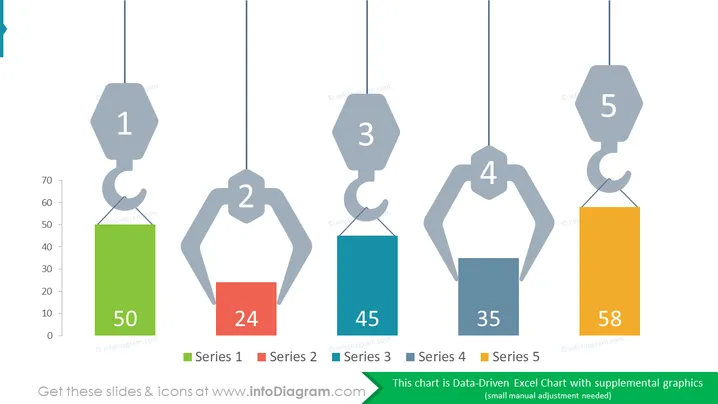
Bar Chart Crane Graphics Comparison Diagram: 5 Categories
Slide
Content: The PowerPoint slide is a data-driven Excel chart with supplemental graphics. The chart is a bar graph with five series. Each series has a different color and a number on top of the bar. The numbers are 50, 24, 45, 35, and 58. The series are labeled “Series 1”, “Series 2”, “Series 3”, “Series 4”, and “Series 5”. The chart is meant to show the data in a visual and easy-to-understand way.
Graphical Look:
- The slide has a white background.
- The chart is a bar graph with five series.
- Each series has a different color.
- Each series has a number on top of the bar.
How to Edit
How to edit text & colors

How to expand / shorten diagram

How to Replace Icons in infoDiagram PPT


