Reviews
Your graphics add a nice touch to my presentations and I recently used them for one of my all-hands meetings. Your toolbox adds professionalism to my slides. Instead of using standard clipart.
I needed a fresh look at some of my slides. I've tried to find a way to create a paintbrush effect, to underline, accentuate, add some color and the handwritten markers were just the things. Very easy to use, easy to size, change the color. It was an affordable, perfect solution and I'm happy to recommend it.
The crisp, clean look of the graphics, and the fact that it allowed me to easily edit and change the colors to match the template was my main reason for purchasing them.
Description
Usage example
Slide Content
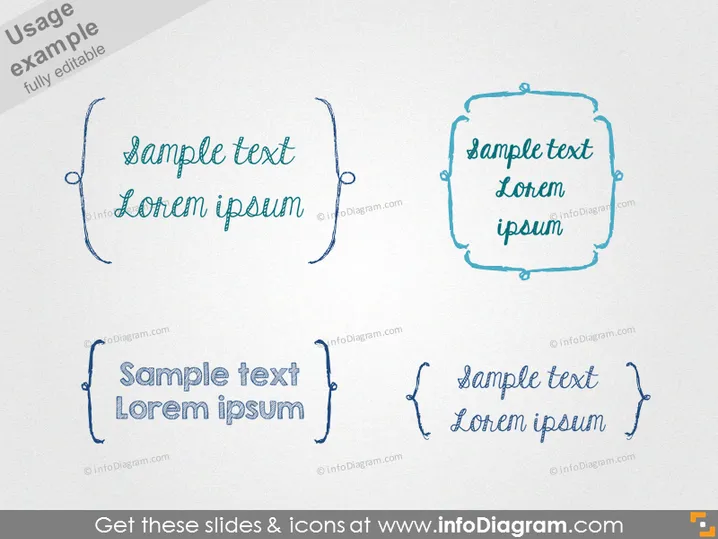
The slide presents four text frames showcasing "sample text Lorem ipsum", each with a unique hand-drawn border style. These frames seem to exemplify different design styles for text boxes that could be used to highlight information, quotes, or callouts in a presentation. The varied borders suggest a non-formal, creative approach to presenting text, moving away from traditional rectangular shapes or lines, instead using squiggles and doodles to attract attention.
Graphical Look
- Four uniquely styled text frames with hand-drawn decorative borders.
- Each border has a different design, ranging from loops, squiggles, brackets, to irregular polygonal shapes, which gives them a playful and informal appearance.
- The text within each frame uses a casual, script-like font that matches the informal style of the borders.
- All frames feature a drop shadow effect that provides a sense of depth, making the frames appear as if they are slightly raised above the slide's background.
- The background of the slide is plain white, which contrasts with the sketches' blue-toned ink, making the designs more prominent.
- The arrangements of the frames create a balanced composition with two frames aligned at the top and two at the bottom, equally spaced apart.
The slide has a casual and creative aesthetic. The simplistic background emphasizes the uniqueness of the text frame designs and their hand-drawn quality.
Use Cases
- To present quotes or testimonials in a creative or informal business presentation.
- As placeholders for highlighting key points, ideas, or concepts in an educational or workshop setting.
- For displaying unique call-to-action statements in marketing or advertising slideshows.
- In personal or artistic presentations where a less corporate and more individualized style is desired.
How to Edit
How to edit text & colors

How to expand / shorten diagram

How to Replace Icons in infoDiagram PPT


