Reviews
Your graphics add a nice touch to my presentations and I recently used them for one of my all-hands meetings. Your toolbox adds professionalism to my slides. Instead of using standard clipart.
I needed a fresh look at some of my slides. I've tried to find a way to create a paintbrush effect, to underline, accentuate, add some color and the handwritten markers were just the things. Very easy to use, easy to size, change the color. It was an affordable, perfect solution and I'm happy to recommend it.
The crisp, clean look of the graphics, and the fact that it allowed me to easily edit and change the colors to match the template was my main reason for purchasing them.
Description
Budget Outline Icons Set — Strategy
Slide Content
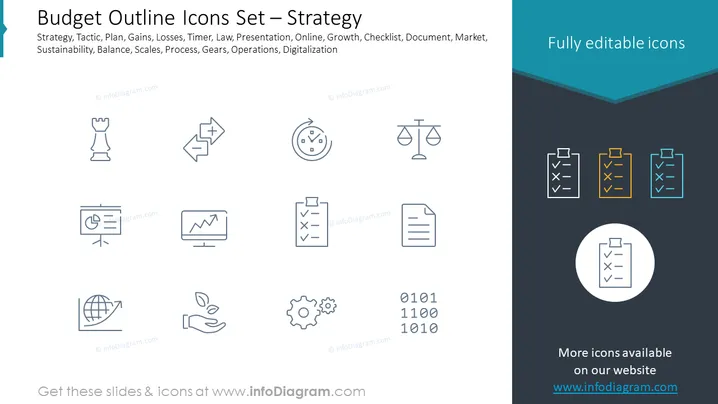
The slide titled "Budget Outline Icons Set — Strategy" represents a collection of icons related to strategic planning and budgeting. The icons symbolize various business concepts including Strategy, Tactic, Plan, Gains, Losses, Timer, Law, Presentation, Online, Growth, Checklist, Document, Market, Sustainability, Balance, Scales, Process, Gears, Operations, and Digitalization. Each icon graphically encapsulates its respective concept—Strategy is represented by a chess piece, hinting at strategic moves; Tactic by two arrows merging, illustrating the convergence of methods; Plan by a timer, indicating time management; Gains and Losses with a graph; Law by the scale of justice, and so on, alluding to their roles in the context of budgeting and strategic planning.
Graphical Look
- There is a top horizontal band with a darker blue shade containing the title in white text and the phrase "Fully editable icons" towards the right.
- A collection of twelve outlined icons, each with a word beneath to describe it, is arranged in the central area of the slide.
- The icons are simple and monochromatic, with a gray color against the slide's white background.
- A circular, white-highlighted icon with a checklist emphasizes the word "Strategy" and is placed in the bottom right corner against a contrasting dark background.
- The bottom of the slide features a light gray footer area excluding the text elements.
The slide features a clean, professional design with a minimalist aesthetic. The use of outline icons and contrasting colors provides a clear visual representation of the strategic concepts.
Use Cases
- To visually enhance a presentation section covering strategic planning and budgeting processes.
- As a visual aid for discussions about resource allocation, process optimization, and operational efficiency in budgetary contexts.
- Utilized in workshops or meetings focusing on strategic business development and market analysis.
- For educators and trainers to provide a visual summary of key strategic concepts in business and financial management courses.
How to Edit
How to edit text & colors

How to expand / shorten diagram

How to Replace Icons in infoDiagram PPT


