Reviews
Your graphics add a nice touch to my presentations and I recently used them for one of my all-hands meetings. Your toolbox adds professionalism to my slides. Instead of using standard clipart.
I needed a fresh look at some of my slides. I've tried to find a way to create a paintbrush effect, to underline, accentuate, add some color and the handwritten markers were just the things. Very easy to use, easy to size, change the color. It was an affordable, perfect solution and I'm happy to recommend it.
The crisp, clean look of the graphics, and the fact that it allowed me to easily edit and change the colors to match the template was my main reason for purchasing them.
Description
Icons: Buildings
Slide Content
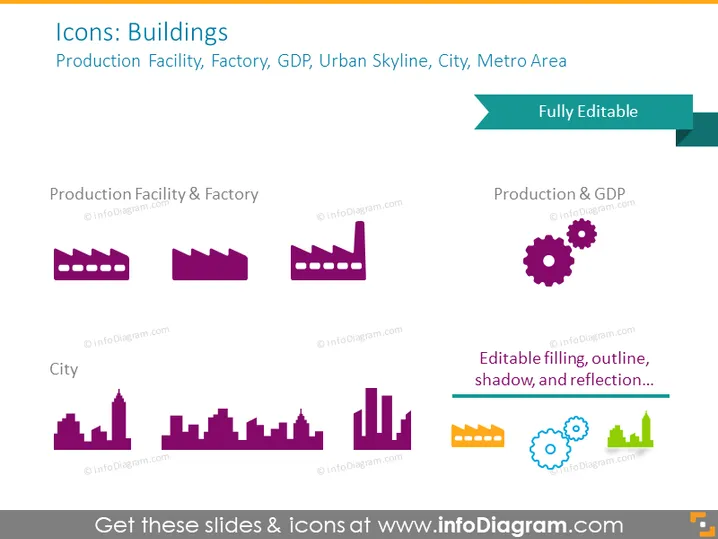
The slide is focused on a collection of building icons that can be used to represent different types of urban and industrial areas or concepts. "Production Facility & Factory" illustrates icons possibly for manufacturing buildings varying in size and structure. "City" depicts a variety of city skyline silhouettes, which could signify different urban landscapes or metro areas. Each icon varies in complexity from simple singular buildings to more complex arrangements with additional elements like gears, which could represent industry connected to economic measures like GDP.
Graphical Look
- The slide background is a solid color.
- The slide title "Icons: Buildings" is displayed at the top in large, bold text.
- A subtitle beneath the title lists different representations: "Production Facility, Factory, GDP, Urban Skyline, City, Metro Area."
- A banner on the top right corner states "Fully Editable."
- Two icon sets are titled "Production Facility & Factory" and "City," each set features a collection of stylized building icons.
- The building icons are in varying purple hues, some featuring additional elements like gears.
- A stylized horizontal line with text "Editable filling, outline, shadow, and reflection..." indicates the customizable nature of the icons.
The overall look of the slide is minimalistic and professional. The use of purple hues for the icons against the slide background creates a contrast that highlights the icons' distinctive shapes and features.
Use Cases
- To visually enhance a business presentation discussing urban development or infrastructure planning.
- Utilized in an economic report to represent industrial sectors or the economic impact of the manufacturing industry.
- To express concepts related to city management, urbanism, or metropolitan statistical areas in a demographic study.
- Included in marketing materials for construction companies, real estate firms, or urban development projects to symbolize their areas of expertise.
How to Edit
How to edit text & colors

How to expand / shorten diagram

How to Replace Icons in infoDiagram PPT


