Reviews
Your graphics add a nice touch to my presentations and I recently used them for one of my all-hands meetings. Your toolbox adds professionalism to my slides. Instead of using standard clipart.
I needed a fresh look at some of my slides. I've tried to find a way to create a paintbrush effect, to underline, accentuate, add some color and the handwritten markers were just the things. Very easy to use, easy to size, change the color. It was an affordable, perfect solution and I'm happy to recommend it.
The crisp, clean look of the graphics, and the fact that it allowed me to easily edit and change the colors to match the template was my main reason for purchasing them.
Description
Trade sectors
Slide Content
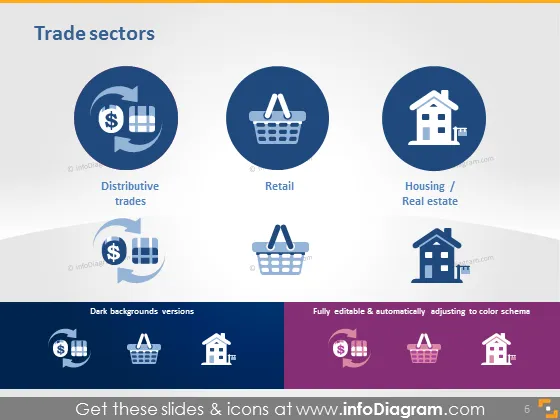
The 'Trade sectors' PowerPoint slide presents three key market segments: Distributive trades, Retail, and Housing/Real estate. Each sector is represented by a distinct circular icon: a pie chart with a dollar sign for Distributive trades symbolizes the economic exchanges and financial aspects; a shopping basket for Retail represents the purchase of goods by consumers; and a house icon for Housing/Real estate signifies property and land transactions. Below the main icons, there are alternative versions suitable for dark backgrounds.
Graphical Look
- The slide background is a gradient from white to a light gray at the bottom.
- Three large circular icons, each set in a different shade of blue, are aligned horizontally across the slide.
- Each icon features a white graphic - the leftmost with a pie chart and dollar sign, the center with a shopping basket, and the rightmost with a house.
- Below each large icon is a label in black text, naming the represented sector ("Distributive trades," "Retail," and "Housing / Real estate").
- Beneath the row of large icons, there is a mirrored row with examples of how the icons would appear on a dark background.
- On the left side, there is additional text labeling the alternative icons as "Dark backgrounds versions."
- On the right side, text notes that the icons are "Fully editable & automatically adjusting to color schema."
The slide uses a clean and straightforward design, with a professional, corporate aesthetic. The use of contrast between the icons and background makes the information stand out clearly.
Use Cases
- Presenting an overview of different economic sectors in a business or economic presentation.
- Discussing market segmentation in a marketing strategy meeting.
- Introducing key areas of focus in a company's annual report.
- Offering a visual breakdown of industry sectors during an educational session or workshop.
How to Edit
How to edit text & colors

How to expand / shorten diagram

How to Replace Icons in infoDiagram PPT


