Reviews
Deine Folien sind meine 'geheime Zutat', wenn es darum geht, meine Ideen Kunden zu visualisieren. Ich spare so viel Zeit.
Ihre Folien führen oft zu guten Kommentaren und Ideen meines Teams, die die endgültigen Folien verbessern.
Description
3 Categories Comparison Table Template
Slide Content
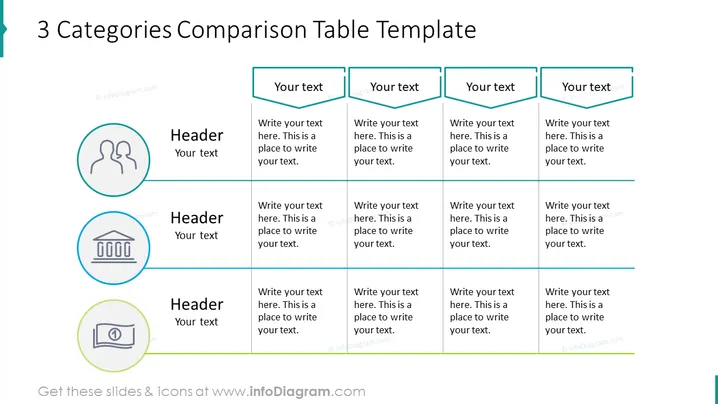
The slide is designed for a comparison of 3 different categories, each with a unique icon and placeholder for a header and additional text. The categories are represented by circular icons with images such as two silhouetted figures, a building with columns, and a money bill. Each category has space for text under the icon, explained as "Header" and "Your text," indicating where a presenter should add their content. The comparison table includes four parameters to compare with placeholders for text entry, suggesting a structured analysis of the categories.
Graphical Look
- The slide has a clean and professional design with a white background.
- The title is prominently displayed at the top in a bold, sans-serif font.
- Three circular icons, each enclosed in a colored circle - teal, blue, and green - are arranged vertically on the left side of the slide.
- Each icon is associated with a placeholder header termed "Header" and a smaller text area labeled "Your text".
- To the right of the icons, there’s a structured comparison table divided into three columns, each column corresponding to one of the categories represented by the icons.
- Each column header in the table is a text box with a teal border that reads "Your text".
- Under each column header, there are four text boxes with guide text "Write your text here. This is a place to write your text." aligned vertically.
- Thin horizontal gray lines separate the rows in the comparison table.
The overall look is sleek and minimalist, with a cohesive color scheme of teal, blue, and green that distinguishes the different categories and comparison elements. The visual elements are arranged in a balanced and clear manner to facilitate easy comparison.
Use Cases
- To compare products, services, or concepts in a business presentation to highlight their differences or advantages.
- During strategy meetings to evaluate different market segments, customer groups, or potential investment opportunities.
- In educational settings, to compare theoretical frameworks or to categorize information for ease of understanding among students.
- For marketing or sales pitches that require a demonstration of the unique features and benefits of various offerings compared to competitors.
How to Edit
How to edit text & colors

How to expand / shorten diagram

How to Replace Icons in infoDiagram PPT


