Reviews
Sus gráficos añaden un toque agradable a mis presentaciones y recientemente los usé para una de mis reuniones generales. Su conjunto de herramientas añade profesionalismo a mis diapositivas. En lugar de usar imágenes prediseñadas estándar.
Necesitaba un aspecto fresco para algunas de mis diapositivas. Había intentado encontrar una forma de crear un efecto de pincel, de subrayar, acentuar, añadir algo de color y los marcadores escritos a mano fueron justo lo que necesitaba. Muy fácil de usar, fácil de ajustar el tamaño, cambiar el color. Fue una solución asequible y perfecta, y estoy feliz de recomendarla.
El aspecto nítido y limpio de los gráficos, y el hecho de que me permitiera editar y cambiar fácilmente los colores para que coincidieran con la plantilla fue mi principal razón para comprarlos.
Description
Spinning Shutter Circle Graphics Template - 8 Stages
Slide Content
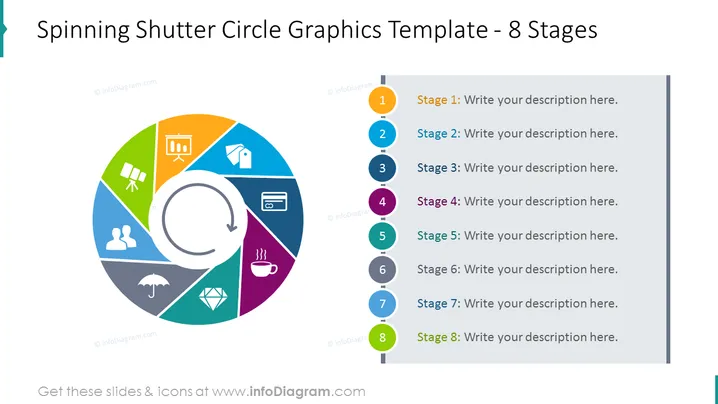
The slide displays a circular diagram with eight segments, each representing a stage in a process or cycle. The segments are color-coded, with a numbered marker corresponding to text boxes on the right, which are placeholders for descriptions specific to each stage. A circular arrow inside the diagram suggests a cycle or a repetitive process, thus indicating that the graphics could be used for explaining processes that are continuous or cyclical in nature.
Graphical Look
- A large circular diagram with a spinning shutter-like design dominates the left side of the slide.
- Each segment of the circular diagram is a different color, creating a visually appealing rainbow effect.
- Inside the circular diagram, there is a white circular arrow pointing clockwise, reinforcing the idea of motion or cyclicity.
- To the right of the circular diagram, there is a vertical series of numbered circular icons, with a color corresponding to each segment of the diagram.
- Text placeholders adjacent to each circular icon provide an area to add the description for each stage.
- The background of the slide is solid white, which helps the colorful elements stand out.
The overall look of the slide is modern and dynamic, with a clear focus on the circular diagram which facilitates the representation of stages, steps, or sequences in a process. The use of color and icons aids in visual differentiation of each segment.
Use Cases
- Business Process Presentations: To represent a business process or workflow with eight distinct stages, steps, or milestones.
- Training Materials: To illustrate a multi-stage training program where each stage builds upon the previous one.
- Project Management: To communicate the phases of a project lifecycle in a visual and engaging manner.
- Marketing Strategies: To outline various stages of a marketing campaign from concept to execution and evaluation.
How to Edit
How to edit text & colors

How to expand / shorten diagram

How to Replace Icons in infoDiagram PPT


