Reviews
Your graphics add a nice touch to my presentations and I recently used them for one of my all-hands meetings. Your toolbox adds professionalism to my slides. Instead of using standard clipart.
I needed a fresh look at some of my slides. I've tried to find a way to create a paintbrush effect, to underline, accentuate, add some color and the handwritten markers were just the things. Very easy to use, easy to size, change the color. It was an affordable, perfect solution and I'm happy to recommend it.
The crisp, clean look of the graphics, and the fact that it allowed me to easily edit and change the colors to match the template was my main reason for purchasing them.
Description
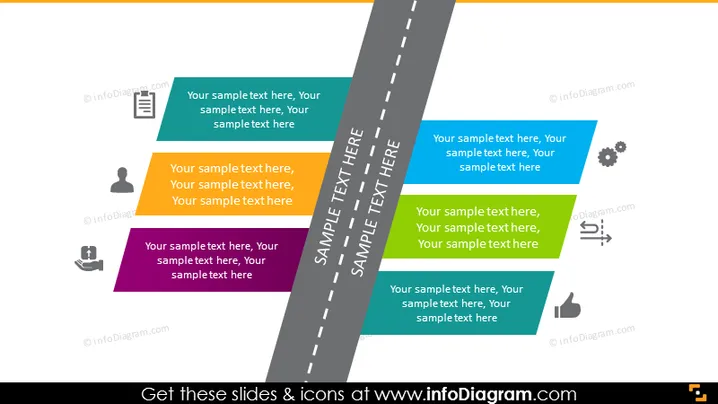
6 Stages Roadmap Flat Infographics
Slide Content:
The PowerPoint slide is likely intended to illustrate a company's project roadmap, with text boxes representing different stages or components of a project or strategy. These stages are aligned along a central dividing line, suggesting a progression or timeline. The text boxes contain placeholder text indicating where descriptions of each stage should be placed, which could detail specific tasks, goals, or milestones within the project's framework.
Graphical Look:
- A straight, central road depicted in dark grey with a dashed white line down the middle, dividing the slide into two halves.
- Multiple text boxes in various colors are placed on both sides of the road.
- Each text box contains an icon representing different aspects of project progression.
The visual composition of the slide is reminiscent of a stylized road, with icons and text boxes serving as milestones, creating a clear and structured representation of a business journey or project timeline.
Use Cases:
- In a business strategy meeting to lay out the phases of project development.
- For a project management training session to illustrate the sequence of project tasks.
- During a company-wide presentation to communicate the roadmap for a new initiative.
- In a sales strategy meeting to discuss the rollout plan for a product or service.
How to Edit
How to edit text & colors

How to expand / shorten diagram

How to Replace Icons in infoDiagram PPT


