Reviews
Sus gráficos añaden un toque agradable a mis presentaciones y recientemente los usé para una de mis reuniones generales. Su conjunto de herramientas añade profesionalismo a mis diapositivas. En lugar de usar imágenes prediseñadas estándar.
Necesitaba un aspecto fresco para algunas de mis diapositivas. Había intentado encontrar una forma de crear un efecto de pincel, de subrayar, acentuar, añadir algo de color y los marcadores escritos a mano fueron justo lo que necesitaba. Muy fácil de usar, fácil de ajustar el tamaño, cambiar el color. Fue una solución asequible y perfecta, y estoy feliz de recomendarla.
El aspecto nítido y limpio de los gráficos, y el hecho de que me permitiera editar y cambiar fácilmente los colores para que coincidieran con la plantilla fue mi principal razón para comprarlos.
Description
Content of Calendars Package
Slide Content
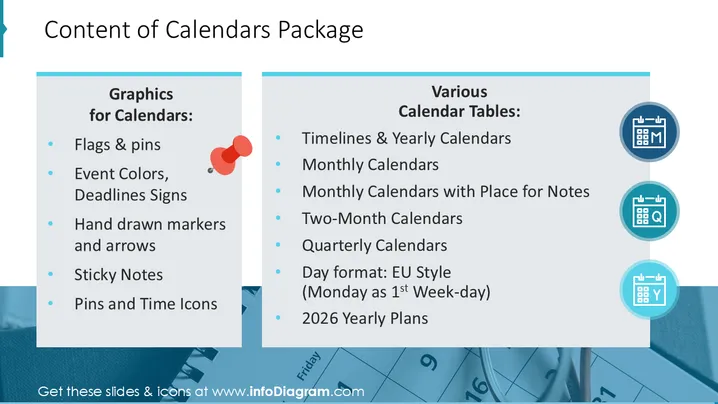
The slide "Content of Calendars Package" is divided into two sections detailing the components included in the calendar package. The "Graphics for Calendars" section lists items such as flags & pins, event colors and deadline signs, hand-drawn markers and arrows, sticky notes, and pins and time icons. These elements likely serve to visually organize and highlight key dates or tasks within a calendar. The "Various Calendar Tables" section mentions different types of calendar layouts available, including timelines & yearly calendars, monthly calendars, and specialized formats like two-month, quarterly calendars, the European-style day format beginning with Monday, and plans for the year 2026 .
Graphical Look
- The slide has a clean, modern design with a primarily white background.
- There are two content blocks with a light blue background, each with a slightly darker blue header.
- On the left content block, there is a list of graphics components with corresponding bullet points.
- On the right content block, there is a list of types of calendar tables with bullet points.
- Each bullet point is marked with a blue circular shape.
- Three calendar icons, depicted as blue circles with calendar illustrations, are aligned vertically to the right of the content block about calendar tables.
- These icons are connected with a gray vertical line.
- There is balanced use of whitespace around and between the content blocks and icons.
The slide features a split layout with the use of contrasting blue shades for headings and bullet point markers. The alignment of icons next to the list items provides a visual representation of the content and enhances the overall readability and visual appeal of the design.
Use Cases
- To present the components of a calendar software package during a sales or marketing presentation.
- For explaining the features of a new organizational tool within a company meeting.
- As a slide within a training session for team members to learn how to effectively utilize new project management software.
- During a product demo to potential clients highlighting the various tools one can use to customize and manage calendars effectively.
How to Edit
How to edit text & colors

How to expand / shorten diagram

How to Replace Icons in infoDiagram PPT


