Reviews
Your graphics add a nice touch to my presentations and I recently used them for one of my all-hands meetings. Your toolbox adds professionalism to my slides. Instead of using standard clipart.
I needed a fresh look at some of my slides. I've tried to find a way to create a paintbrush effect, to underline, accentuate, add some color and the handwritten markers were just the things. Very easy to use, easy to size, change the color. It was an affordable, perfect solution and I'm happy to recommend it.
The crisp, clean look of the graphics, and the fact that it allowed me to easily edit and change the colors to match the template was my main reason for purchasing them.
Description
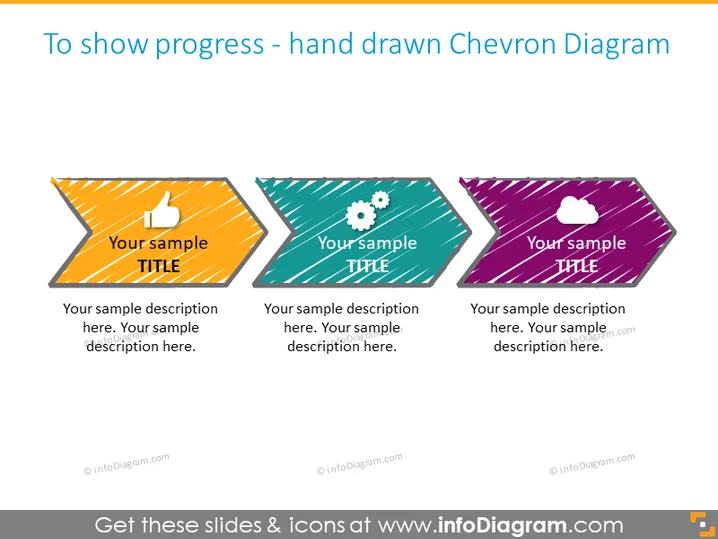
To show progress - hand drawn Chevron Diagram
Slide Content
The slide seems to be presenting a hand-drawn Chevron Diagram used to depict progress in stages. There are three Chevron graphics representing different steps or phases, indicated by three different titles and descriptions. "Your sample TITLE" signifies placeholder text, implying that each Chevron is intended to be customized with specific titles and descriptions for a presentation.
Graphical Look
- Three Chevron shapes aligned horizontally, each with a separate color (orange with stripes, teal with dots, and purple with diagonal lines).
- Each Chevron includes an icon: a thumbs-up on the first, gears on the second, and a cloud on the third.
- A handwritten style font is used for both the title "Your sample TITLE" and the descriptive text, which reinforces the hand-drawn theme.
- Placeholder text for titles and descriptions to demonstrate where users can customize content.
The slide has a playful, informal visual style characterized by the hand-drawn chevron shapes and sketchy font. Its vivid colors and creative patterns within each shape add visual interest.
Use Cases
- To display project phases or steps in a business process during a presentation.
- For illustrating milestones in project development or timelines.
- To visualize progress in a team meeting when discussing objectives and goals.
- In educational settings, to describe stages in learning or assignment completion.
How to Edit
How to edit text & colors

How to expand / shorten diagram

How to Replace Icons in infoDiagram PPT


