Reviews
Your graphics add a nice touch to my presentations and I recently used them for one of my all-hands meetings. Your toolbox adds professionalism to my slides. Instead of using standard clipart.
I needed a fresh look at some of my slides. I've tried to find a way to create a paintbrush effect, to underline, accentuate, add some color and the handwritten markers were just the things. Very easy to use, easy to size, change the color. It was an affordable, perfect solution and I'm happy to recommend it.
The crisp, clean look of the graphics, and the fact that it allowed me to easily edit and change the colors to match the template was my main reason for purchasing them.
Description
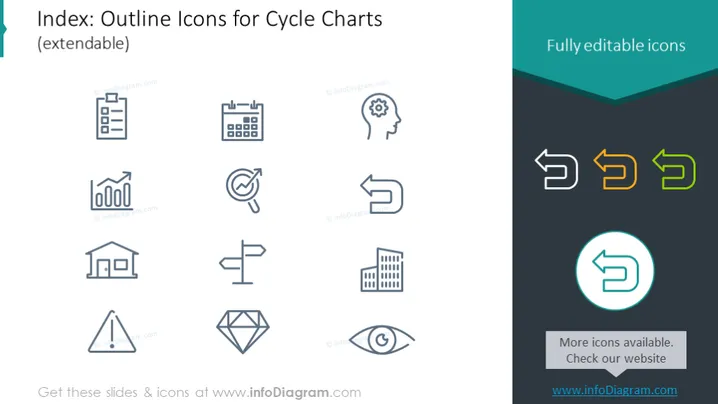
Index: Outline Icons for Cycle Charts (extendable)
Slide Content
The PowerPoint slide is dedicated to displaying a set of outline icons that are designed for use in cycle charts. These icons are extendable, indicating that additional icons can supplement the existing ones. Each icon represents different concepts or analytical elements commonly used in presentations: clipboard to indicate paperwork or audit, calendar for scheduling, gear for processes, and so on, thereby offering visual support to the accompanying text or numerical data in a presentation.
Graphical Look
- The slide background is white, creating a clean and neutral canvas for the icons.
- A collection of twelve icons is presented in two rows; these are monochrome and use a minimalist line style.
- The icons appear uniformly spaced, providing a sense of organization and easy readability.
- On the right side, there is a section with a dark teal overlay with the title "Fully editable icons" in white text.
- Inside the teal section, there are three arrow icons displayed: two of them are monochrome, and one is highlighted with a gradation of orange to green colors.
- A circular icon towards the bottom right is enclosed within a larger teal circle, giving it prominence.
The overall look of the slide is sleek and professional, with a balanced layout that emphasizes the variety and editability of the icons.
Use Cases
- To enhance visual storytelling in business presentations by pairing these icons with specific stages of a process or timeline.
- For illustrating steps in workflows, business cycles, or procedures in meeting and board presentations.
- In educational or training sessions where the representation of concepts needs to be intuitive and easily recognizable.
- To create informative infographics for digital or printed company materials such as brochures or reports.
How to Edit
How to edit text & colors

How to expand / shorten diagram

How to Replace Icons in infoDiagram PPT


