Your graphics add a nice touch to my presentations and I recently used them for one of my all-hands meetings. Your toolbox adds professionalism to my slides. Instead of using standard clipart.
Claude Jones, Director of Engineer, @Walmartlabs, USA

Your graphics add a nice touch to my presentations and I recently used them for one of my all-hands meetings. Your toolbox adds professionalism to my slides. Instead of using standard clipart.
Claude Jones, Director of Engineer, @Walmartlabs, USA

I needed a fresh look at some of my slides. I've tried to find a way to create a paintbrush effect, to underline, accentuate, add some color and the handwritten markers were just the things. Very easy to use, easy to size, change the color. It was an affordable, perfect solution and I'm happy to recommend it.
Anonymous, US
The crisp, clean look of the graphics, and the fact that it allowed me to easily edit and change the colors to match the template was my main reason for purchasing them.
Brandie Jenkins, E-learning Developer, USA
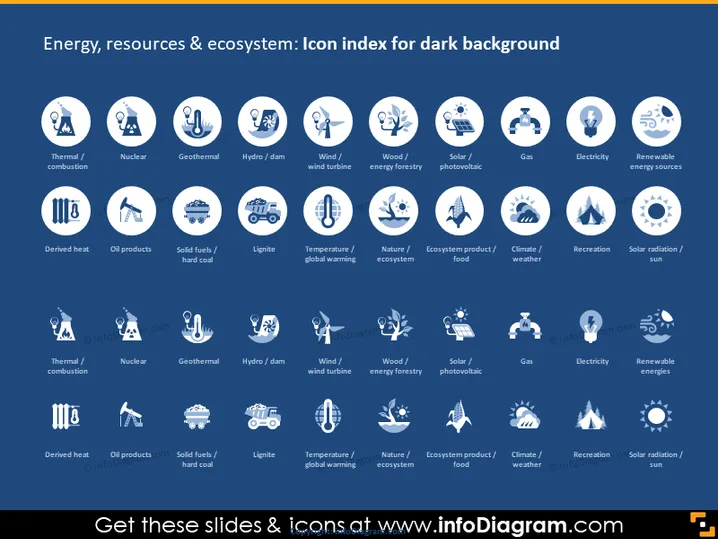
The PowerPoint slide presents an array of icons each representing different components of energy, resources, and ecosystems. The top row includes icons for "Thermal/combustion," symbolizing traditional energy generation methods, "Nuclear," indicating nuclear power, and "Geothermal," representing energy from the earth's heat. Following are "Hydro/dam," depicting hydroelectric power, "Wind/wind turbine" for wind energy, "Wood/energy forestry" hinting at bioenergy from wood, "Solar/photovoltaic" for solar panel energy, "Gas" probably signifying natural gas as an energy source, "Electricity," showcasing the general concept of electrical energy, and "Renewable energy sources" representing various green energy options. Each icon is paired with a label below it to clarify its meaning.
The overall look is professional, with a cohesive color scheme that makes the content easily digestible. The layout is grid-like, emphasizing categorization and ease of interpretation.


