Reviews
Ihre Grafiken verleihen meinen Präsentationen eine nette Note, und ich habe sie kürzlich für eines meiner All-Hands-Meetings verwendet. Ihre Toolbox verleiht meinen Folien Professionalität, anstatt Standard-Clipart zu verwenden.
Ich brauchte einen neuen Blick auf einige meiner Folien. Ich habe versucht, einen Weg zu finden, einen Pinselschlag-Effekt zu erzielen, um zu unterstreichen, hervorzuheben, Farbe hinzuzufügen, und die handgeschriebenen Markierungen waren genau das Richtige. Sehr einfach zu bedienen, leicht in der Größe zu ändern, die Farbe zu ändern. Es war eine erschwingliche, perfekte Lösung und ich empfehle sie gerne weiter.
Die klare, saubere Optik der Grafiken und die Tatsache, dass ich die Farben leicht bearbeiten und an die Vorlage anpassen konnte, war mein Hauptgrund für den Kauf.
Description
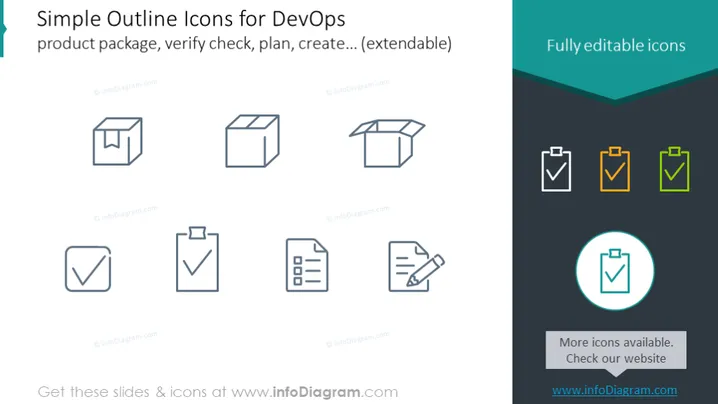
Simple Outline Icons for DevOps
Slide Content
The slide appears to demonstrate a set of simple outline icons that are associated with DevOps practices or activities like product packaging, verification, planning, and creating processes that are extendable. Each icon likely represents a specific concept in the DevOps pipeline: a product package, a verification check, a plan document, and a creation or implementation action. These icons serve as visual cues to convey complex software development and IT operations processes in a more comprehendible and accessible manner.
Graphical Look
- The slide background is white, providing a neutral canvas for the icons and text.
- A turquoise banner with a wave design at the top right adds a color accent to the slide.
- A set of line icons is arranged in two rows and two columns, totalling eight icons.
- Each icon is drawn with thin, clean lines, suggesting simplicity and modernity.
- The icons on the right side of the slide are paired with a colored duplicates highlighting customizability.
- There's a circular icon with a teal highlight at the bottom right, indicating it might be selected or active.
- A small text box with a turquoise background at the bottom right suggests additional resources are available.
The slide has a clean and modern aesthetic due to the simple line work of the icons and the minimalistic color scheme. The visual contrast between the grey and colored icons effectively communicates the idea of customization or selection.
Use Cases
- To visually convey the steps of a DevOps process during a training or educational presentation.
- To add visual interest to technical documentation or project plans when printed or shown on a screen.
- To enhance the user interface of software or apps that are tailored to DevOps practices.
- To serve as visual aids in marketing materials that explain a company's DevOps services or tools.
How to Edit
How to edit text & colors

How to expand / shorten diagram

How to Replace Icons in infoDiagram PPT


