

Your graphics add a nice touch to my presentations and I recently used them for one of my all-hands meetings. Your toolbox adds professionalism to my slides. Instead of using standard clipart.
Claude Jones, Director of Engineer, @Walmartlabs, USA

Your graphics add a nice touch to my presentations and I recently used them for one of my all-hands meetings. Your toolbox adds professionalism to my slides. Instead of using standard clipart.
Claude Jones, Director of Engineer, @Walmartlabs, USA
I needed a fresh look at some of my slides. I've tried to find a way to create a paintbrush effect, to underline, accentuate, add some color and the handwritten markers were just the things. Very easy to use, easy to size, change the color. It was an affordable, perfect solution and I'm happy to recommend it.
Anonymous, US
The crisp, clean look of the graphics, and the fact that it allowed me to easily edit and change the colors to match the template was my main reason for purchasing them.
Brandie Jenkins, E-learning Developer, USA
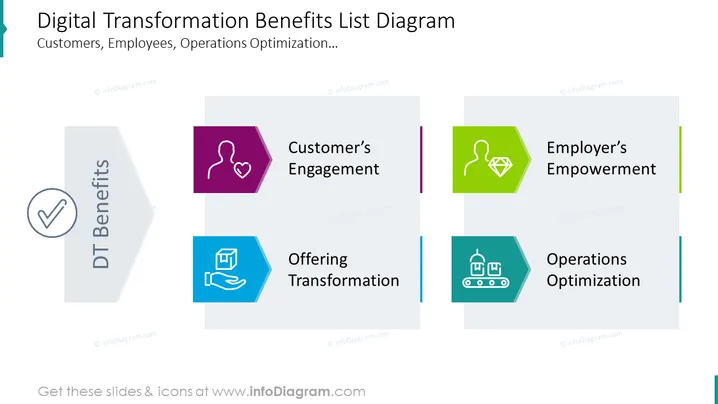
The PowerPoint slide outlines the various benefits of digital transformation, categorized for different stakeholders. "Customer's Engagement" suggests initiatives to increase interactions with clients. "Employer's Empowerment" implies measures to enhance decision-making and autonomy in the workplace. "Offering Transformation" relates to evolving the company's products or services. Lastly, "Operations Optimization" indicates improving internal processes for efficiency.
The slide uses geometric shapes and a limited color palette to present information in an organized and visually appealing manner. The icons are simple yet effective in conveying the abstract benefits of digital transformation.
This slide could be used in business presentations to communicate the advantages of digital transformation to stakeholders, during strategy meetings to discuss implementing digital solutions, in sales pitches to illustrate the added value of digital products or services, or in internal training sessions to educate employees about the digital strategy.



