Reviews
Your graphics add a nice touch to my presentations and I recently used them for one of my all-hands meetings. Your toolbox adds professionalism to my slides. Instead of using standard clipart.
I needed a fresh look at some of my slides. I've tried to find a way to create a paintbrush effect, to underline, accentuate, add some color and the handwritten markers were just the things. Very easy to use, easy to size, change the color. It was an affordable, perfect solution and I'm happy to recommend it.
The crisp, clean look of the graphics, and the fact that it allowed me to easily edit and change the colors to match the template was my main reason for purchasing them.
Description
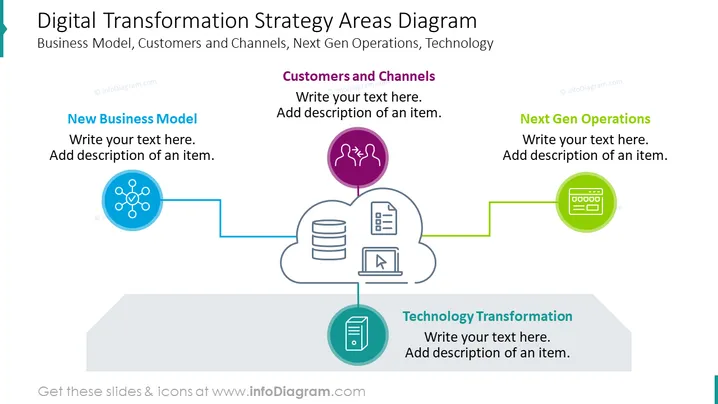
Digital Transformation Strategy Areas Diagram
Slide Content:
The PowerPoint slide focuses on four key areas of digital transformation: New Business Model, Customers and Channels, Next Gen Operations, and Technology Transformation. Each section invites the addition of text and a description for individual items. These areas represent critical components for organizations aiming to modernize their operations through digital means, such as rethinking their business strategies, enhancing customer interaction channels, optimizing operations with new technologies, and undergoing a technological shift.
Graphical Look:
- The title in bold, dark blue at the top of the slide.
- Four circular icons connected by lines.
- Each icon is accompanied by a text box for descriptions.
- The icons are colored differently.
- The background is white.
The slide uses a clean and modern design with a simple color scheme to emphasize key areas of digital transformation. The use of icons and connecting lines creates a flow that is intuitive and easy to follow.
Use Cases:
Such a slide is ideal for business presentations that aim to discuss or plan the digital transformation journey of an organization. It could be used to introduce the concept to stakeholders, to brainstorm areas for digital improvement, or to present a strategic plan to a team or company-wide meeting. It serves as a visual aid to align discussion points and ensures all aspects of digital transformation are considered.
How to Edit
How to edit text & colors

How to expand / shorten diagram

How to Replace Icons in infoDiagram PPT


