Reviews
Ihre Grafiken verleihen meinen Präsentationen eine nette Note, und ich habe sie kürzlich für eines meiner All-Hands-Meetings verwendet. Ihre Toolbox verleiht meinen Folien Professionalität, anstatt Standard-Clipart zu verwenden.
Ich brauchte einen neuen Blick auf einige meiner Folien. Ich habe versucht, einen Weg zu finden, einen Pinselschlag-Effekt zu erzielen, um zu unterstreichen, hervorzuheben, Farbe hinzuzufügen, und die handgeschriebenen Markierungen waren genau das Richtige. Sehr einfach zu bedienen, leicht in der Größe zu ändern, die Farbe zu ändern. Es war eine erschwingliche, perfekte Lösung und ich empfehle sie gerne weiter.
Die klare, saubere Optik der Grafiken und die Tatsache, dass ich die Farben leicht bearbeiten und an die Vorlage anpassen konnte, war mein Hauptgrund für den Kauf.
Description
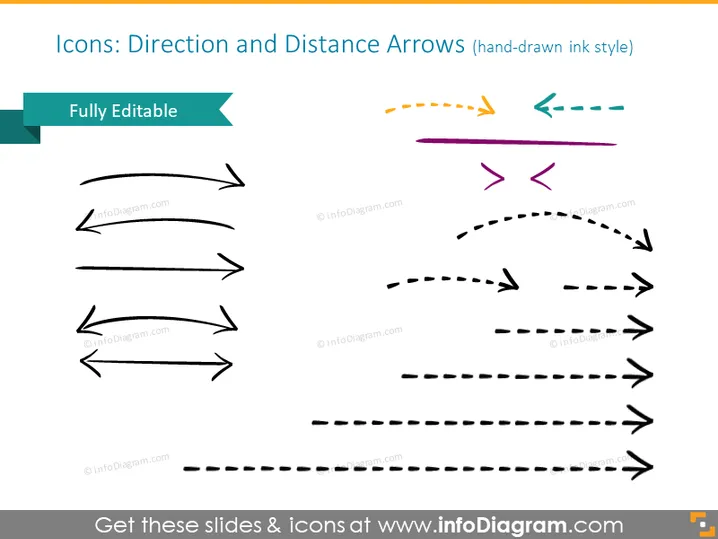
Icons: Direction and Distance Arrows (hand-drawn ink style)
Slide Content
This PowerPoint slide is titled "Icons: Direction and Distance Arrows (hand-drawn ink style)" and showcases a collection of arrow icons in various designs and orientations, implying versatility and the capability to depict different pathways or processes. Each arrow demonstrates a concept: straight arrows for direct paths, curved arrows for changes in direction, dashed lines for intermittent or less concrete paths, and arrows pointing opposite directions for choices or conflict.
Graphical Look
- The slide background is a plain, light color.
- A variety of two-dimensional arrow icons are presented in three rows and two columns.
- These arrows are designed to have a hand-drawn, ink-like appearance.
- Each arrow varies in style, with some being solid lines, others dashed, and a few with dual-headed arrows.
- Arrows are in different orientations - horizontal, vertical, and curved.
- The colors of the arrows include black, purple, yellow, green, and teal.
- There is a caption box in the upper left corner with the text "Fully Editable" and an associated teal tag.
- The slide has a clean and minimalistic design, using white space effectively.
The slide has a creative and informal aesthetic due to the hand-drawn appearance of the icons. The composition's variety in arrow styles and directions provides a flexible visual toolkit for presenting different concepts related to movement, flow, or direction.
Use Cases
- Illustrating the flow of a process or workflow in a business presentation.
- Demonstrating different paths or strategies in a project management plan.
- Emphasizing the direction of progress or change in a company roadmap.
- Visualizing decision points and diverging choices in a marketing strategy.
How to Edit
How to edit text & colors

How to expand / shorten diagram

How to Replace Icons in infoDiagram PPT


