Reviews
Your graphics add a nice touch to my presentations and I recently used them for one of my all-hands meetings. Your toolbox adds professionalism to my slides. Instead of using standard clipart.
I needed a fresh look at some of my slides. I've tried to find a way to create a paintbrush effect, to underline, accentuate, add some color and the handwritten markers were just the things. Very easy to use, easy to size, change the color. It was an affordable, perfect solution and I'm happy to recommend it.
The crisp, clean look of the graphics, and the fact that it allowed me to easily edit and change the colors to match the template was my main reason for purchasing them.
Description
Ecommerce Retail Icons
Slide Content
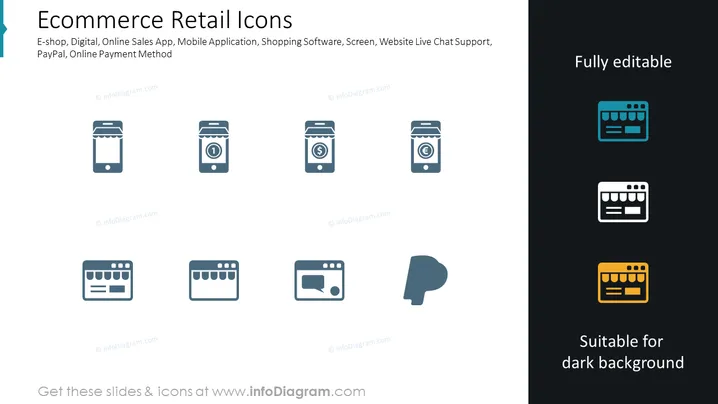
The PowerPoint slide presents a collection of icons related to e-commerce and retail. Each icon represents a different concept: E-shop signifies an online store; Digital is likely about digital goods or services; Online Sales App refers to applications designed to facilitate online shopping; Mobile Application is self-explanatory, denoting an app for mobile devices; Shopping Software suggests tools designed specifically for making online retail more efficient; Screen can imply a web interface or online storefront; Website Live Chat Support denotes a direct customer service feature; PayPal represents the online payment platform; and Online Payment Method refers to various ways to pay online. These icons are key concepts in digital retail.
Graphical Look
- The slide background is divided into solid white on the left and dark gray on the right.
- In the white section, there are eight stylized icons arranged in a grid, each representing different aspects of e-commerce.
- The icons are colored a consistent shade of blue, creating visual cohesion.
- Text labels for each icon are positioned directly below them in a smaller, legible font.
- The right dark gray section contains three additional icons, which are presented in a different color palette (blue, white, and yellow) to demonstrate that they are suitable for use on a dark background.
- The text atop the gray area reads "Fully editable" to the right and "Suitable for dark background" at the bottom.
- The overall slide layout is clean, utilizing a stark contrast between the white and dark sections to delineate content.
The slide features a modern and professional design, with a clear distinction between icon categories via background color. The minimalist icon design looks efficient and is easy to interpret, making the slide visually accessible to the audience.
Use Cases
- Presenting features or functions of an e-commerce platform during investor meetings or sales pitches.
- Explaining the components of a digital retail ecosystem in educational or training settings.
- Highlighting services offered by a digital marketing agency or website development company.
- Showcasing payment options and support tools in business proposals or online strategy documents.
How to Edit
How to edit text & colors

How to expand / shorten diagram

How to Replace Icons in infoDiagram PPT


