Reviews
Sus gráficos añaden un toque agradable a mis presentaciones y recientemente los usé para una de mis reuniones generales. Su conjunto de herramientas añade profesionalismo a mis diapositivas. En lugar de usar imágenes prediseñadas estándar.
Necesitaba un aspecto fresco para algunas de mis diapositivas. Había intentado encontrar una forma de crear un efecto de pincel, de subrayar, acentuar, añadir algo de color y los marcadores escritos a mano fueron justo lo que necesitaba. Muy fácil de usar, fácil de ajustar el tamaño, cambiar el color. Fue una solución asequible y perfecta, y estoy feliz de recomendarla.
El aspecto nítido y limpio de los gráficos, y el hecho de que me permitiera editar y cambiar fácilmente los colores para que coincidieran con la plantilla fue mi principal razón para comprarlos.
Description
EU Central Eastern Countries Administrative Regions
Slide Content
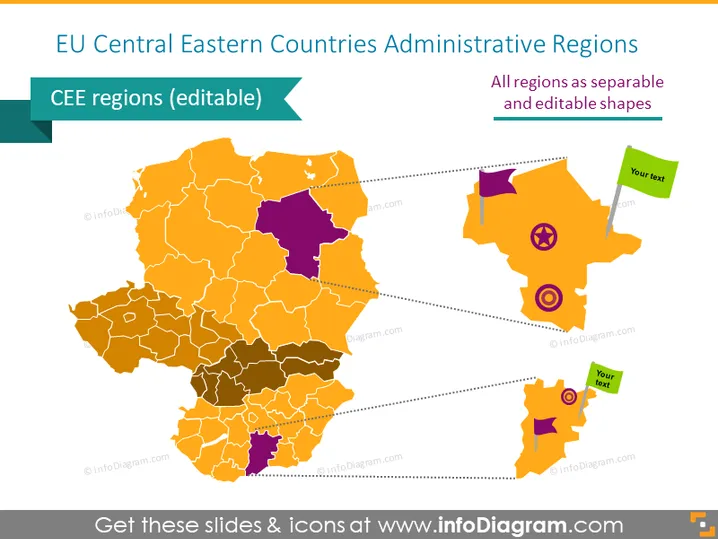
This PowerPoint slide presents a map highlighting the administrative regions of Central Eastern European (CEE) countries within the EU. It indicates that the regions on the map are editable, meaning that they can be individually manipulated in the presentation to show specific details or data. The map depicts varying regions using different shades of orange, while one region is highlighted in purple. Dotted lines connect some of the regions to text boxes, enabling the presenter to add contextual information adjacent to these regions.
Graphical Look
- The central graphic of the slide is a stylized map of the EU's Central Eastern countries, shaded in various tones of orange with one region in purple.
- The map regions are outlined in white, allowing their borders to be distinct.
- To the right of the map, there are three separate, distinct shapes resembling regions of the map in purple and two tones of orange; each has an icon within it – a target, an 'X' mark, and a magnifying glass.
- Each of these three shapes is connected to the map with a dotted line and is accompanied by a green rectangular call-out box for adding text.
- The background of the slide is white, which makes the colorful map and graphical elements stand out vividly.
The slide has a clean, professional look with a focus on the editable regions. The use of color contrast and icons emphasizes interactivity and the potential for customization.
Use Cases
- Presenting demographic or economic data specific to regions within Central Eastern EU countries for business or educational purposes.
- Illustrating regional targets, challenges, or areas of interest in business strategies or investment plans.
- Creating a visual aid for discussions about regional policies or developments during conferences or seminars.
- Customizing detailed geographic presentations for company branches or market analysis reports specific to the CEE region.
How to Edit
How to edit text & colors

How to expand / shorten diagram

How to Replace Icons in infoDiagram PPT


