Reviews
Your graphics add a nice touch to my presentations and I recently used them for one of my all-hands meetings. Your toolbox adds professionalism to my slides. Instead of using standard clipart.
I needed a fresh look at some of my slides. I've tried to find a way to create a paintbrush effect, to underline, accentuate, add some color and the handwritten markers were just the things. Very easy to use, easy to size, change the color. It was an affordable, perfect solution and I'm happy to recommend it.
The crisp, clean look of the graphics, and the fact that it allowed me to easily edit and change the colors to match the template was my main reason for purchasing them.
Description
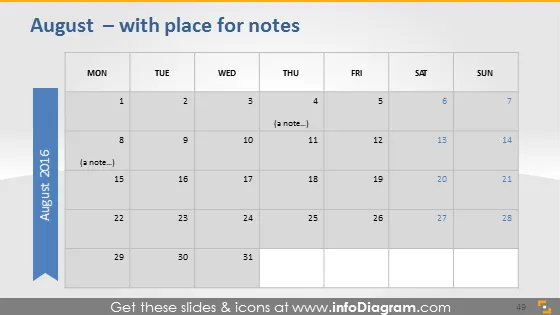
August – with place for notes
Slide Content
The slide is a calendar for the month of August 2016, designed to provide an overview of the month with the ability to add notes on specific dates. Days are organized in the traditional week format, starting with Monday and ending with Sunday. Each date has a space for notes, with a couple of examples ("a note…") written on the 4th and 8th. This layout can help the viewer keep track of important dates, deadlines, or events within a monthly context, allowing for both planning and reflection.
Graphical Look
- The slide background is a gradient of light blue to white.
- The title "August – with place for notes" is at the top of the slide.
- There is a large blue banner on the left-hand side, vertically oriented with the text "August 2016" in white.
- Each day of the week is labeled at the top of the columns with "MON," "TUE," "WED," "THU," "FRI," "SAT," "SUN" in dark text for emphasis.
- Dates are presented in a grid format with rows for each week and columns for each day.
- The dates are numbered sequentially from 1 to 31, with the weekend dates slightly shaded for distinction.
- There are placeholders for notes on the 4th and 8th, which suggest interactivity and personalization.
The overall look of the slide is clean, professional, and utilitarian, with a color scheme that is calming and non-distracting. The design emphasis on usability and organization lends itself well to planning and scheduling purposes.
Use Cases
- To present a project timeline during a business meeting, with key milestones and deadlines marked on specific dates.
- As a planning tool during a strategy session, indicating when particular tasks or goals should be achieved within the month.
- For scheduling and outlining events, conferences, or important meetings in a monthly corporate newsletter or bulletin.
- To track progress during a month-long initiative or campaign, with notes on achievements or updates for each significant date.
How to Edit
How to edit text & colors

How to expand / shorten diagram

How to Replace Icons in infoDiagram PPT


