Reviews
Your graphics add a nice touch to my presentations and I recently used them for one of my all-hands meetings. Your toolbox adds professionalism to my slides. Instead of using standard clipart.
I needed a fresh look at some of my slides. I've tried to find a way to create a paintbrush effect, to underline, accentuate, add some color and the handwritten markers were just the things. Very easy to use, easy to size, change the color. It was an affordable, perfect solution and I'm happy to recommend it.
The crisp, clean look of the graphics, and the fact that it allowed me to easily edit and change the colors to match the template was my main reason for purchasing them.
Description
Icons: Buildings
Slide Content
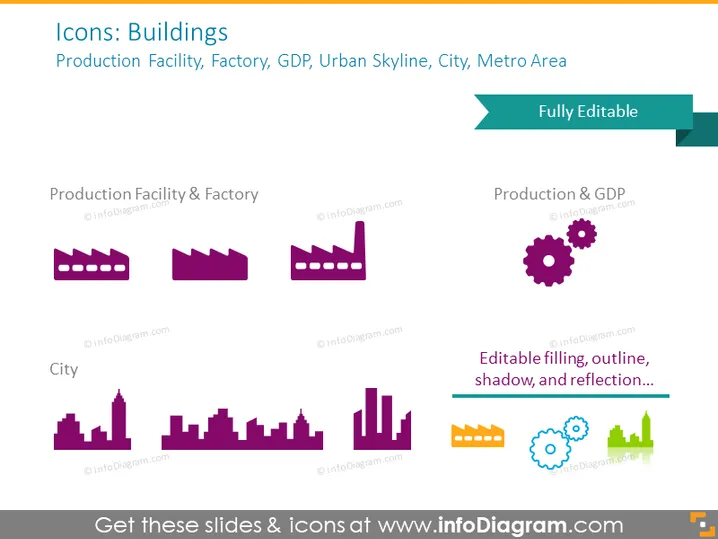
The PowerPoint slide titled "Icons: Buildings" showcases a collection of icons related to urban development and economic indicators such as production facilities, factories, GDP, urban skylines, cities, and metro areas. The first set labeled "Production Facility & Factory" includes icons representing industrial buildings. The "City" section contains icons depicting different silhouettes of urban skylines, emphasizing variability in the city landscape. The phrase "Fully Editable" suggests that these icons can be customized to fit different presentation needs, while "Production & GDP" likely implies that some icons combine industrial and economic themes.
Graphical Look
- The slide features a white background which provides a clean canvas for the colorful icons and text.
- A title is placed at the top in large, bold font, with a subtitle underneath in a smaller font.
- Two sections are evident, each with a label in purple text indicating the category of icons ("Production Facility & Factory" and "City").
- Each section contains a set of flat design icons in shades of purple and teal, each icon distinct but consistent in style.
- To the right, there is a teal banner with the text "Fully Editable," suggesting customizability of the icons.
- There is a short text line in the lower-right corner that reads "Editable filling, outline, shadow, and reflection..." hinting at the different design modifications possible with the icons.
- The icons are minimalist and abstract, employing simple shapes and elements to suggest buildings, factories, or economic concepts.
- The layout of the slide is balanced, with equal space allotted to the two icon sections and a clear separation between different types of icons.
The slide exudes a professional and minimalist design, focused on visual representation of different building and economic concepts. The use of color is limited to purples and teals, providing a unified and modern aesthetic.
Use Cases
- Introducing urban development concepts in a business strategy presentation.
- Illustrating topics related to manufacturing or industry trends in an economic report.
- Enhancing slides in a real estate investment pitch to quickly convey concepts of cityscapes or infrastructure.
- Using as visual aids in an educational setting to teach about urban planning, economic indicators, or geographical studies.
How to Edit
How to edit text & colors

How to expand / shorten diagram

How to Replace Icons in infoDiagram PPT


