Reviews
Vos graphiques ajoutent une belle touche à mes présentations et je les ai récemment utilisés pour l'une de mes réunions générales. Votre boîte à outils ajoute du professionnalisme à mes diapositives. Au lieu d'utiliser des cliparts standards.
J'avais besoin d'un nouveau regard sur certaines de mes diapositives. J'ai essayé de trouver un moyen de créer un effet de pinceau, de souligner, d'accentuer, d'ajouter de la couleur et les marqueurs manuscrits étaient exactement ce qu'il fallait. Très facile à utiliser, facile à ajuster la taille, à changer la couleur. C'était une solution abordable et parfaite et je suis heureux de la recommander.
L'aspect net et épuré des graphiques, et le fait qu'il m'ait permis d'éditer et de changer facilement les couleurs pour les adapter au modèle, ont été les principales raisons de mon achat.
Description
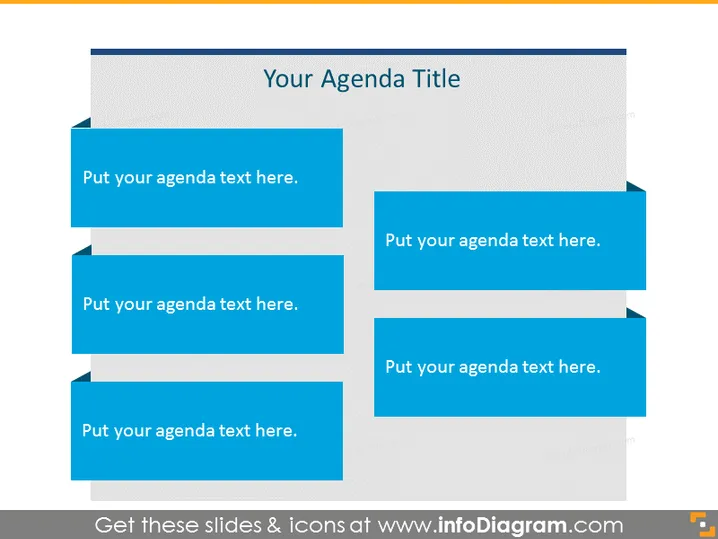
Your Agenda Title
Slide Content
The slide is intended to present an agenda with space for multiple points. Each blue box represents a separate agenda item, where text can be inserted to describe the specific topic, task, or segment of the presentation or meeting. This format suggests a structured overview of a program or sequence of events and provides a clear visual distinction between the individual elements of the planned agenda.
Graphical Look
- The slide background is a light gray gradient.
- The title "Your Agenda Title" is located at the top, centered in a white rectangular area.
- There are six blue rectangular shapes with a right arrow design on the left.
- Each blue shape contains the placeholder text "Put your agenda text here."
- Shapes are staggered in pairs, with each subsequent pair indented further to the right.
- The text within the blue shapes is white, enhancing contrast and readability.
The overall look of the slide is clean and organized, employing a consistent color scheme and hierarchical structure to convey the agenda items clearly and effectively.
Use Cases
- Starting a professional meeting or workshop with a clear outline of topics to be covered.
- Outlining the schedule for a conference or seminar with distinct sessions or presentations.
- Setting expectations in a classroom or training environment about the lesson or module's structure.
- Providing participants with a visual agenda at the beginning of a webinar to guide them through the planned content.
How to Edit
How to edit text & colors

How to expand / shorten diagram

How to Replace Icons in infoDiagram PPT


