Reviews
Your graphics add a nice touch to my presentations and I recently used them for one of my all-hands meetings. Your toolbox adds professionalism to my slides. Instead of using standard clipart.
I needed a fresh look at some of my slides. I've tried to find a way to create a paintbrush effect, to underline, accentuate, add some color and the handwritten markers were just the things. Very easy to use, easy to size, change the color. It was an affordable, perfect solution and I'm happy to recommend it.
The crisp, clean look of the graphics, and the fact that it allowed me to easily edit and change the colors to match the template was my main reason for purchasing them.
Description
Flat Icons Set — Design Thinking 2
Slide Content
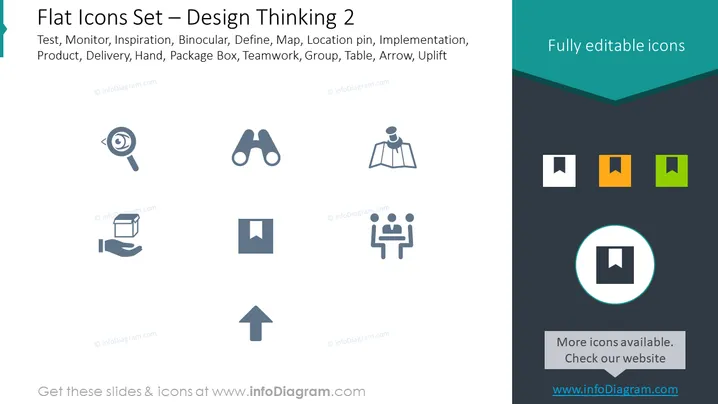
The PowerPoint slide is titled "Flat Icons Set — Design Thinking 2" and includes a list of concepts such as Test, Monitor, Inspiration, Binocular, Define, Map, Location pin, Implementation, Product, Delivery, Hand, Package Box, Teamwork, Group, Table, Arrow, and Uplift. Each concept likely corresponds to an icon that represents an aspect of design thinking or project management processes. These concepts cover various stages and tools used in design thinking, from ideation (Inspiration) to execution (Delivery) and assessment (Monitor).
Graphical Look
- The slide background is white with a dark teal header that has a cut-out wave design at the bottom edge.
- There is a series of grey-toned, stylized icons evenly spaced across the slide, each representing one of the listed concepts.
- Icons include a magnifying glass (Test), binoculars (Binocular), a map (Map), a location pin (Define), two figures at a table (Teamwork), and an arrow pointing upwards (Uplift), among others.
- In the upper right corner, there is a box with the phrase "Fully editable icons" with a dark teal background that matches the header.
- In the lower right corner, there is a circular highlight over one of the icon boxes, drawing attention to it; adjacent to this is a grey rectangle stating "More icons available. Check our website" and a web address below it.
The overall look of the slide is clean and modern, utilizing a simple color palette and flat design style. The icons are easily identifiable and are presented in a grid that aids in visual organization and quick comprehension.
Use Cases
- Introducing design thinking stages or tools in an educational or training presentation.
- Illustrating project management steps in a business strategy session.
- Showcasing services or processes in marketing and sales pitches.
- Enhancing visual communication in workshop handouts or collaboration meetings.
How to Edit
How to edit text & colors

How to expand / shorten diagram

How to Replace Icons in infoDiagram PPT


