Reviews
Ihre Grafiken verleihen meinen Präsentationen eine nette Note, und ich habe sie kürzlich für eines meiner All-Hands-Meetings verwendet. Ihre Toolbox verleiht meinen Folien Professionalität, anstatt Standard-Clipart zu verwenden.
Ich brauchte einen neuen Blick auf einige meiner Folien. Ich habe versucht, einen Weg zu finden, einen Pinselschlag-Effekt zu erzielen, um zu unterstreichen, hervorzuheben, Farbe hinzuzufügen, und die handgeschriebenen Markierungen waren genau das Richtige. Sehr einfach zu bedienen, leicht in der Größe zu ändern, die Farbe zu ändern. Es war eine erschwingliche, perfekte Lösung und ich empfehle sie gerne weiter.
Die klare, saubere Optik der Grafiken und die Tatsache, dass ich die Farben leicht bearbeiten und an die Vorlage anpassen konnte, war mein Hauptgrund für den Kauf.
Description
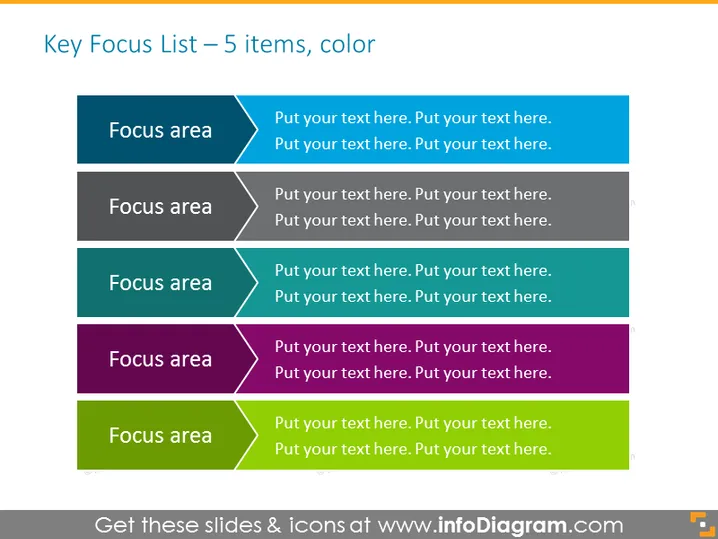
Key Focus List – 5 items, color
Slide Content
The slide is titled "Key Focus List – 5 items, color" and seems to be a template for outlining key areas of focus within a project, strategy, or presentation. Each item is presented with a heading "Focus area," followed by a placeholder "Put your text here." This format suggests that the presenter should replace the placeholder text with specific information related to five different focus areas, explaining what those areas are and potentially discussing strategies or details pertinent to each.
Graphical Look
- The slide background is a plain light gray color.
- There are five colored rectangular shapes, each representing a different focus area.
- Each shape has a darker colored left side with white text stating "Focus area."
- The right side of each shape consists of a lighter shade, displaying placeholder text in dark gray for detail input.
- Each rectangular shape has an arrow-like cut on the left side, making it resemble a ribbon or bookmark.
- The colors of the rectangles are varied and include teal, dark gray, sea green, purple, and lime green, descending from the top to bottom.
The slide's overall appearance is clean and modern, with a professional aesthetic. The use of distinct colors for each focus area aids in distinguishing them from one another.
Use Cases
- Presenting a company or product strategy with clear priority areas.
- Outlining the agenda or key points in a business meeting or workshop.
- Allocating tasks or areas of responsibilities in team assignments.
- Summarizing the main topics of a conference or educational lecture.
How to Edit
How to edit text & colors

How to expand / shorten diagram

How to Replace Icons in infoDiagram PPT


