Reviews
Your graphics add a nice touch to my presentations and I recently used them for one of my all-hands meetings. Your toolbox adds professionalism to my slides. Instead of using standard clipart.
I needed a fresh look at some of my slides. I've tried to find a way to create a paintbrush effect, to underline, accentuate, add some color and the handwritten markers were just the things. Very easy to use, easy to size, change the color. It was an affordable, perfect solution and I'm happy to recommend it.
The crisp, clean look of the graphics, and the fact that it allowed me to easily edit and change the colors to match the template was my main reason for purchasing them.
Description
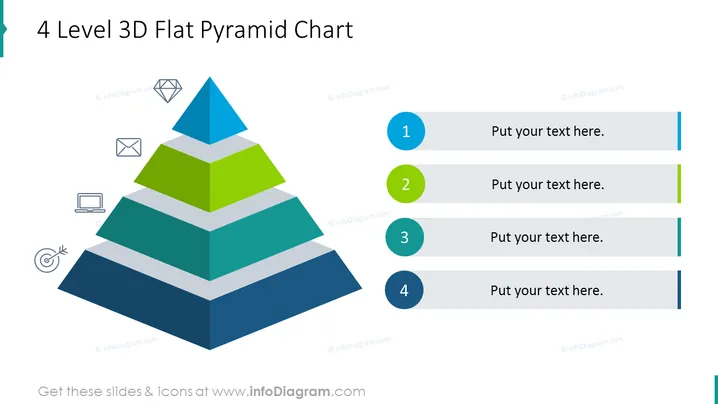
4 Level 3D Flat Pyramid Chart
Slide Content
The slide presents a 4-level 3D pyramid chart, which is a visual hierarchy structure commonly used to illustrate the foundation and subsequent layers of a concept or organization. Each level of the pyramid is differentiated by both color and size, denoting their rank or importance in the hierarchy. The chart also includes place-holder text boxes to the right, numbered from 1 to 4, allowing for a comprehensive explanation of each pyramid level and how they relate to each other.
Graphical Look
- A large, multicolored pyramid is centrally positioned on the slide, composed of a blueish-gray base and three other layers in darker blue, green, and light blue.
- Each layer of the pyramid is slightly smaller than the one below it, creating a 3D stepped effect.
- To the left of the pyramid are four small icons, each corresponding to a level of the pyramid: an envelope, a diamond, a laptop, and a target symbol.
- To the right of the pyramid, four horizontal lines extend toward the edge, each paired with a circular color-coded bullet point matching the pyramid levels’ colors.
- Each line has a placeholder text box labeled "Put your text here.", suggesting space for descriptions or explanations of each pyramid level.
The slide features a clean design with a good balance between text and graphical elements. The color scheme is cohesive, with a modern and professional appearance.
Use Cases
- To show an organizational hierarchy or levels of management within a company.
- To present a step-by-step guide or the stages of a development process.
- To depict the layers of importance in a business strategy or marketing plan.
- To categorize different aspects of a project or product feature set by priority or sequence.
How to Edit
How to edit text & colors

How to expand / shorten diagram

How to Replace Icons in infoDiagram PPT


