Reviews
Sus gráficos añaden un toque agradable a mis presentaciones y recientemente los usé para una de mis reuniones generales. Su conjunto de herramientas añade profesionalismo a mis diapositivas. En lugar de usar imágenes prediseñadas estándar.
Necesitaba un aspecto fresco para algunas de mis diapositivas. Había intentado encontrar una forma de crear un efecto de pincel, de subrayar, acentuar, añadir algo de color y los marcadores escritos a mano fueron justo lo que necesitaba. Muy fácil de usar, fácil de ajustar el tamaño, cambiar el color. Fue una solución asequible y perfecta, y estoy feliz de recomendarla.
El aspecto nítido y limpio de los gráficos, y el hecho de que me permitiera editar y cambiar fácilmente los colores para que coincidieran con la plantilla fue mi principal razón para comprarlos.
Description
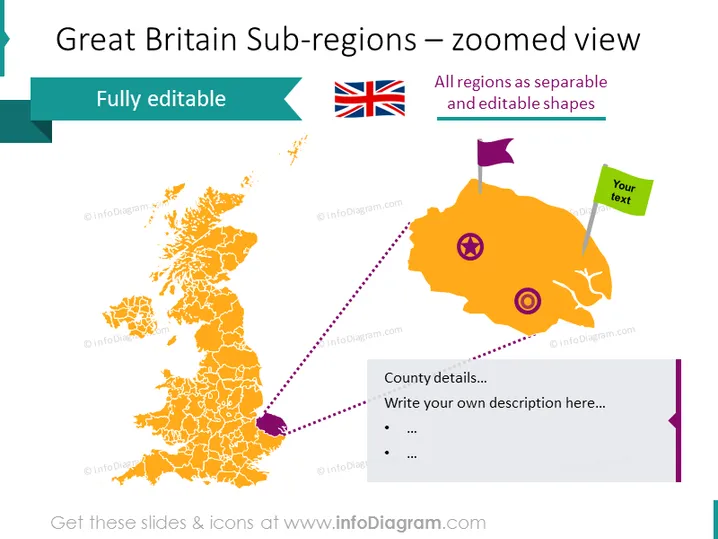
Great Britain Sub-regions – zoomed view
Slide Content
This PowerPoint slide is titled "Great Britain Sub-regions – zoomed view" and appears to focus on geographic information systems, data segmentation, or detailed regional analysis. There is a mention that all regions are represented as separable and editable shapes, suggesting a flexible tool for customization. The slide features a graphic of a map and a zoomed-in section for specific details, emphasizing the editable nature of the regions. The slide implies functionality that allows the user to write custom descriptions and include additional text, enabling detailed presentations of regional data or geographic-focused discussions.
Graphical Look
- A large, full-color map of Great Britain occupies the left side of the slide, detailed with sub-regional boundaries.
- To the right, there's a zoomed-in, magnified region of the map shown in orange, with a dashed line pointing to it.
- Two icons, a purple pin and a circular target, are placed on the zoomed region.
- A small flag icon with a pole sits above the zoomed region, paired with a green text box for user input.
- A purple banner at the bottom right provides a space labeled "County details..." with bullet points for additional information.
- The title is bold and clearly readable at the top, sharing space with a British flag icon on the right.
The slide has a colorful and engaging design, with a clear focus on the geographical elements. The combination of maps and icons, along with dedicated text areas, creates an interactive feel suitable for customized information input.
Use Cases
- To present detailed demographic studies and statistics of specific sub-regions in Great Britain within a business or academic presentation.
- As part of a marketing analysis to illustrate regional segmentation or target areas for a campaign.
- In a strategic planning meeting, where discussions involve resource allocation or facility placements within specific British regions.
- During an educational session to teach about the geographical subdivisions and cultural differences between sub-reg ions of Great Britain.
How to Edit
How to edit text & colors

How to expand / shorten diagram

How to Replace Icons in infoDiagram PPT


