Reviews
Ihre Grafiken verleihen meinen Präsentationen eine nette Note, und ich habe sie kürzlich für eines meiner All-Hands-Meetings verwendet. Ihre Toolbox verleiht meinen Folien Professionalität, anstatt Standard-Clipart zu verwenden.
Ich brauchte einen neuen Blick auf einige meiner Folien. Ich habe versucht, einen Weg zu finden, einen Pinselschlag-Effekt zu erzielen, um zu unterstreichen, hervorzuheben, Farbe hinzuzufügen, und die handgeschriebenen Markierungen waren genau das Richtige. Sehr einfach zu bedienen, leicht in der Größe zu ändern, die Farbe zu ändern. Es war eine erschwingliche, perfekte Lösung und ich empfehle sie gerne weiter.
Die klare, saubere Optik der Grafiken und die Tatsache, dass ich die Farben leicht bearbeiten und an die Vorlage anpassen konnte, war mein Hauptgrund für den Kauf.
Description
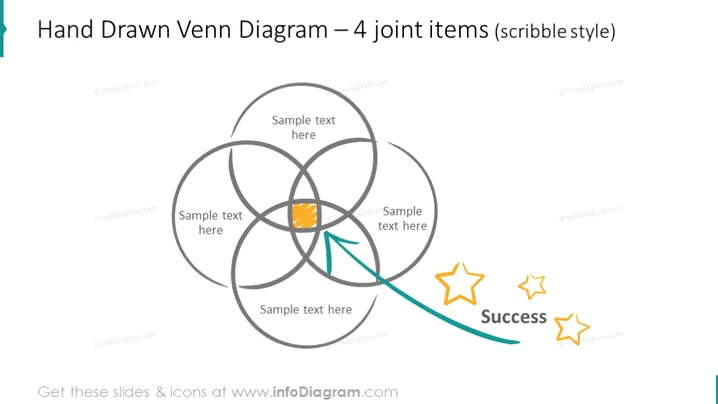
Hand Drawn Venn Diagram – 4 joint items (scribble style)
Slide Content
The slide presents a hand-drawn Venn diagram with four overlapping circles in a scribble style. Each circle has a space for text, indicating the relationships or intersections between different concepts or ideas. One section of the overlap is emphasized with a shading and an arrow pointing towards it, suggesting a particular focus or outcome, labeled "Success" accompanied by three stylized star icons, indicating achievement or a positive result.
Graphical Look
- The Venn diagram consists of four interlocking loops drawn in a loose, sketch-like manner.
- A specific segment of the diagram is highlighted with an orange fill.
- A curved arrow originating from the bottom points to the emphasized segment.
- The word "Success" is written in a bold, casual script to the right of the diagram.
- Three stars with varying sizes and opacities accompany the "Success" text, contributing to the achievement theme.
- The background of the slide is plain white, which accentuates the sketched elements.
The overall look of the slide is informal and creative, emphasizing a hand-drawn aesthetic. The use of color and icons adds a touch of emphasis and visual interest.
Use Cases
- To illustrate the shared goals or outcomes of different teams or departments within a company.
- To demonstrate the intersection of multiple business strategies and the resulting successful outcomes.
- To facilitate a brainstorming session where various ideas or concepts need to be visually mapped and interconnected.
- To explain complex project dependencies or relationships during a workshop or training session.
How to Edit
How to edit text & colors

How to expand / shorten diagram

How to Replace Icons in infoDiagram PPT


