Reviews
Your graphics add a nice touch to my presentations and I recently used them for one of my all-hands meetings. Your toolbox adds professionalism to my slides. Instead of using standard clipart.
I needed a fresh look at some of my slides. I've tried to find a way to create a paintbrush effect, to underline, accentuate, add some color and the handwritten markers were just the things. Very easy to use, easy to size, change the color. It was an affordable, perfect solution and I'm happy to recommend it.
The crisp, clean look of the graphics, and the fact that it allowed me to easily edit and change the colors to match the template was my main reason for purchasing them.
Description
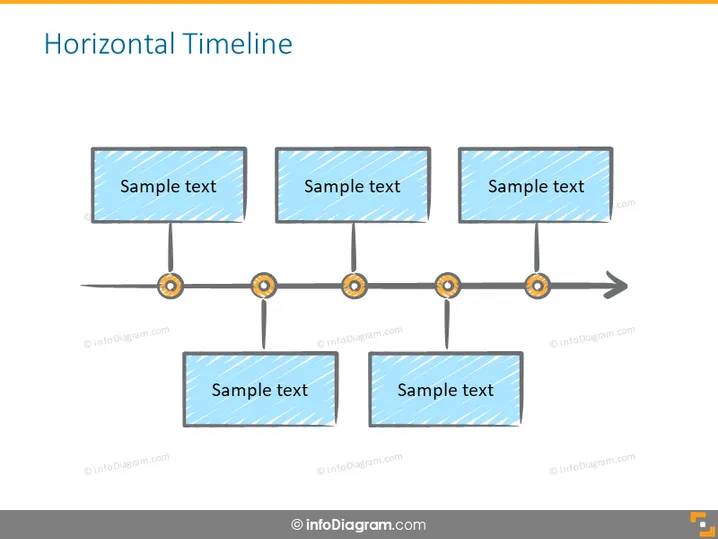
Horizontal Timeline
Slide Content
The slide titled "Horizontal Timeline" presents a visual representation of a timeline consisting of five rectangular boxes with "Sample text" placeholders, which are interconnected by a line that has circular elements at each juncture. Each box presumably represents a different event or milestone, with the placement along the line indicating the sequence. The timeline uses a horizontal format which suggests a progression from left to right, typically used to highlight chronological events or steps in a process in a clear and linear manner.
Graphical Look
- The slide background is plain white.
- There is a central, horizontal dark grey line that acts as the timeline.
- On the timeline, there are five gold-rimmed, orange circles evenly spaced, serving as connectors.
- Four rectangular boxes with a blue patterned background sit above the line, each connected to one of the circles.
- One additional box with the same blue pattern sits slightly below the timeline, between the third and fourth circles from the left.
- The words "Sample text" in bold are centered in each of the five boxes.
- A grey arrowhead points to the right, indicating the continuation of the timeline past the last box.
The slide follows a minimalist design with a clear visual hierarchy, making it easy to follow. The use of blue for the boxes and the orange for timeline connectors provides a good contrast that outlines the sequence effectively.
Use Cases
- Illustrating project phases or milestones in a business presentation.
- Demonstrating the timeline of a product development process.
- Outlining historical events or future projections in a corporate strategy meeting.
- Presenting the sequential steps in a workflow or process improvement plan.
How to Edit
How to edit text & colors

How to expand / shorten diagram

How to Replace Icons in infoDiagram PPT


