Reviews
Sus gráficos añaden un toque agradable a mis presentaciones y recientemente los usé para una de mis reuniones generales. Su conjunto de herramientas añade profesionalismo a mis diapositivas. En lugar de usar imágenes prediseñadas estándar.
Necesitaba un aspecto fresco para algunas de mis diapositivas. Había intentado encontrar una forma de crear un efecto de pincel, de subrayar, acentuar, añadir algo de color y los marcadores escritos a mano fueron justo lo que necesitaba. Muy fácil de usar, fácil de ajustar el tamaño, cambiar el color. Fue una solución asequible y perfecta, y estoy feliz de recomendarla.
El aspecto nítido y limpio de los gráficos, y el hecho de que me permitiera editar y cambiar fácilmente los colores para que coincidieran con la plantilla fue mi principal razón para comprarlos.
Description
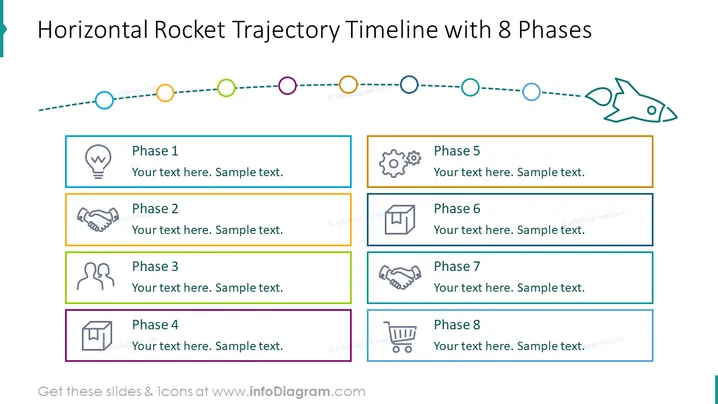
Horizontal Rocket Trajectory Timeline with 8 Phases
Slide Content
The slide presents a conceptual timeline delineated through eight distinct phases, each represented by colored circular nodes along a dotted path symbolizing a linear progression. The path culminates in the icon of a rocket, implying a launch or an end goal. Each phase box includes an icon illustrating the phase theme, a placeholder for the phase title, and room for an accompanying description. These phases could, for example, signify steps in a project life cycle, major milestones in product development, or critical transitions in a business strategy.
Graphical Look
- The slide features a light blue background.
- A dotted timeline runs horizontally across the slide, interspersed with colored circular nodes.
- Each phase is represented by a rectangle with a colored border, an icon on the left, and two text boxes for the title and description on the right.
- The icons are varied, including a lightbulb, handshake, people, document, gears, and a trash bin symbol.
- At the end of the timeline, there's a stylized line drawing of a rocket pointed toward the right.
- The timeline and text boxes have a flat design aesthetic with no shadow or 3D effects.
- Each phase box is distinctly color-coded with solid line borders matching the color of the node on the timeline it is associated with.
The overall look of the slide is clean and modern, with a colorful yet professional appearance. It uses a combination of simple shapes and icons to clearly communicate each phase of a process or timeline.
Use Cases
- To outline the stages of a project or business initiative during a kickoff meeting.
- For progress tracking in project management updates, illustrating the completion of each phase.
- As a visual aid in a pitch to potential investors or stakeholders, showing the milestones of product development.
- In educational or training presentations to depict the sequence of learning modules or course content.
How to Edit
How to edit text & colors

How to expand / shorten diagram

How to Replace Icons in infoDiagram PPT


