Reviews
Sus gráficos añaden un toque agradable a mis presentaciones y recientemente los usé para una de mis reuniones generales. Su conjunto de herramientas añade profesionalismo a mis diapositivas. En lugar de usar imágenes prediseñadas estándar.
Necesitaba un aspecto fresco para algunas de mis diapositivas. Había intentado encontrar una forma de crear un efecto de pincel, de subrayar, acentuar, añadir algo de color y los marcadores escritos a mano fueron justo lo que necesitaba. Muy fácil de usar, fácil de ajustar el tamaño, cambiar el color. Fue una solución asequible y perfecta, y estoy feliz de recomendarla.
El aspecto nítido y limpio de los gráficos, y el hecho de que me permitiera editar y cambiar fácilmente los colores para que coincidieran con la plantilla fue mi principal razón para comprarlos.
Description
Icon index — Cloud, Software, Communication, Data & File types
Slide Content
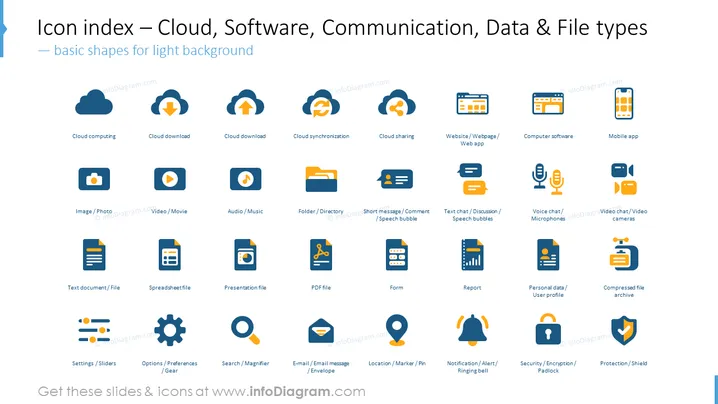
The PowerPoint slide presents a comprehensive index of icons related to cloud services, software, communication, and various data and file types, suitable for use on light backgrounds. These icons include representations for cloud computing, download, synchronization, and sharing; website, computer software, and mobile app; various file types like documents, spreadsheets, images, audio, video, and more; communication tools like chat bubbles, microphones, and video cameras; and additional icons for settings, search, email, location, notifications, security, and data protection.
Graphical Look
- A collection of flat design icons with a consistent color scheme of blue, orange, and grey.
- Each icon is accompanied by a short descriptive label in a sans-serif font underneath it.
- Icons are organized in a grid layout with four rows and six columns, providing a structured and balanced look.
- The slide background is white, which enhances the visibility of the colored icons.
- There are no extraneous embellishments or decorations, ensuring a clean and professional appearance.
The overall look of the slide is clean and modern, emphasizing clarity and ease of interpretation. The strategic use of color helps to distinguish the icons while maintaining visual cohesion across the set.
Use Cases
- Used in technology and software-oriented business presentations to illustrate various digital concepts and services.
- Ideal for training materials that explain cloud computing, file management, and communication tools.
- Useful in user interface design and development presentations for app and web development projects.
- Can be implemented as a visual aid in strategy meetings to clarify discussions about data management and IT infrastructure planning.
How to Edit
How to edit text & colors

How to expand / shorten diagram

How to Replace Icons in infoDiagram PPT


