Reviews
Sus gráficos añaden un toque agradable a mis presentaciones y recientemente los usé para una de mis reuniones generales. Su conjunto de herramientas añade profesionalismo a mis diapositivas. En lugar de usar imágenes prediseñadas estándar.
Necesitaba un aspecto fresco para algunas de mis diapositivas. Había intentado encontrar una forma de crear un efecto de pincel, de subrayar, acentuar, añadir algo de color y los marcadores escritos a mano fueron justo lo que necesitaba. Muy fácil de usar, fácil de ajustar el tamaño, cambiar el color. Fue una solución asequible y perfecta, y estoy feliz de recomendarla.
El aspecto nítido y limpio de los gráficos, y el hecho de que me permitiera editar y cambiar fácilmente los colores para que coincidieran con la plantilla fue mi principal razón para comprarlos.
Description
Flat Icons Set - Industry
Slide Content
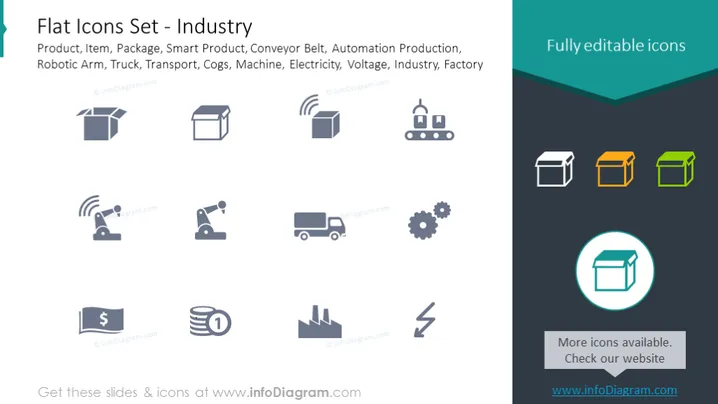
The PowerPoint slide presents a collection of "Flat Icons Set - Industry," which includes icons representing various elements associated with industrial activity. Product, Item, and Package icons relate to goods and their packaging. Smart Product and Conveyor Belt suggest technology in manufacturing. Automation Production reflects industry automation, the Robotic Arm signifies robotics in production, and the Truck symbolizes transport logistics. Cogs refer to machinery and mechanical parts, Machine represents manufacturing equipment, Electricity is for power, and Voltage could indicate electrical specifications. Lastly, Industry and Factory icons are general symbols for the industrial sector.
Graphical Look
- The slide features a collection of twelve icons, arranged in four rows and three columns.
- Each icon is represented in a flat design style and follows a uniform gray color scheme, except for three icons highlighted in color (yellow, orange, and green).
- One icon is also highlighted with a cyan circle to emphasize it among others.
- The slide background is white, providing a minimalist contrast to the gray icons.
- At the top of the slide, there's a dark teal banner with text announcing the icons as "Fully editable."
- The design is modern and clean, with plenty of white space around each icon.
The overall look of the slide is sleek and professional, emphasizing clarity and simplicity. The color highlights draw attention to specific icons, possibly to indicate their importance or to categorize them differently.
Use Cases
- These icons could be used in corporate presentations to visually represent different aspects of industrial processes and manufacturing.
- They are suitable for illustrating topics in training materials related to industry operations or factory workflow.
- In marketing materials, these icons can help to highlight the features or benefits of industrial products and services.
- During project planning or strategic meetings, the icons could serve as visual aids to facilitate discussion on various aspects of industrial development or innovation.
How to Edit
How to edit text & colors

How to expand / shorten diagram

How to Replace Icons in infoDiagram PPT


