Reviews
Sus gráficos añaden un toque agradable a mis presentaciones y recientemente los usé para una de mis reuniones generales. Su conjunto de herramientas añade profesionalismo a mis diapositivas. En lugar de usar imágenes prediseñadas estándar.
Necesitaba un aspecto fresco para algunas de mis diapositivas. Había intentado encontrar una forma de crear un efecto de pincel, de subrayar, acentuar, añadir algo de color y los marcadores escritos a mano fueron justo lo que necesitaba. Muy fácil de usar, fácil de ajustar el tamaño, cambiar el color. Fue una solución asequible y perfecta, y estoy feliz de recomendarla.
El aspecto nítido y limpio de los gráficos, y el hecho de que me permitiera editar y cambiar fácilmente los colores para que coincidieran con la plantilla fue mi principal razón para comprarlos.
Description
Slide Content
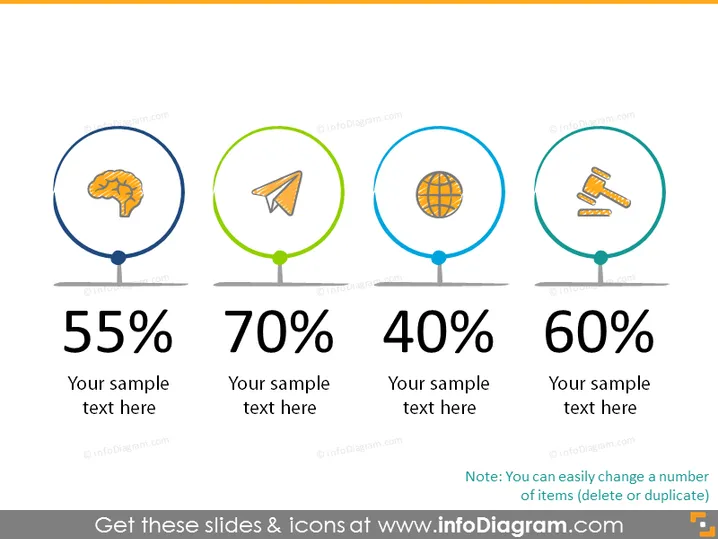
The PowerPoint slide depicts a visual representation of four statistical metrics, each encircled and colored differently, symbolizing distinct categories or subjects. The first is marked by 55% with a brain icon suggesting cognitive-related results. The next shows 70% accompanied by a paper plane icon, possibly denoting communication or marketing achievements. The third circle contains a globe icon with a 40% mark, hinting at global reach or international presence. Lastly, a 60% rating alongside courtroom gavel icons, indicating legal or governance-related outcomes. Each percentage is followed by a placeholder for additional text.
Graphical Look
- Four circular graphics with icons contained within, each attached to a horizontal line.
- A percentage figure is prominently displayed beneath each circle.
- All circles are linked by a continuous horizontal grey line that spans the slide and serve as a common ground.
- Colored circular outlines: the first one in blue, the second in green, the third in blue, and the fourth in blue again, providing color coding for differentiation.
- Each circle has a distinct icon representing various themes: a brain for intellect or learning, a paper plane for communication, a globe for international topics, and gavels for judicial or legal affairs.
- Two lines of placeholder text beneath each percentage point suggest space to expand on the metric's significance.
The slide is clean and minimalistic, with a balanced use of space that aids in emphasizing the data presented by each statistic. The color-coding and icons serve both an aesthetic and functional purpose, assisting in the quick perception of the categories each statistic pertains to.
Use Cases
- Presenting key performance indicators (KPIs) in a business review.
- Visualizing different departmental successes or goals during a company-wide meeting.
- Highlighting statistics in an educational presentation to emphasize certain study results.
- Breaking down components of a marketing campaign's performance analysis.
How to Edit
How to edit text & colors

How to expand / shorten diagram

How to Replace Icons in infoDiagram PPT


