Reviews
Your graphics add a nice touch to my presentations and I recently used them for one of my all-hands meetings. Your toolbox adds professionalism to my slides. Instead of using standard clipart.
I needed a fresh look at some of my slides. I've tried to find a way to create a paintbrush effect, to underline, accentuate, add some color and the handwritten markers were just the things. Very easy to use, easy to size, change the color. It was an affordable, perfect solution and I'm happy to recommend it.
The crisp, clean look of the graphics, and the fact that it allowed me to easily edit and change the colors to match the template was my main reason for purchasing them.
Description
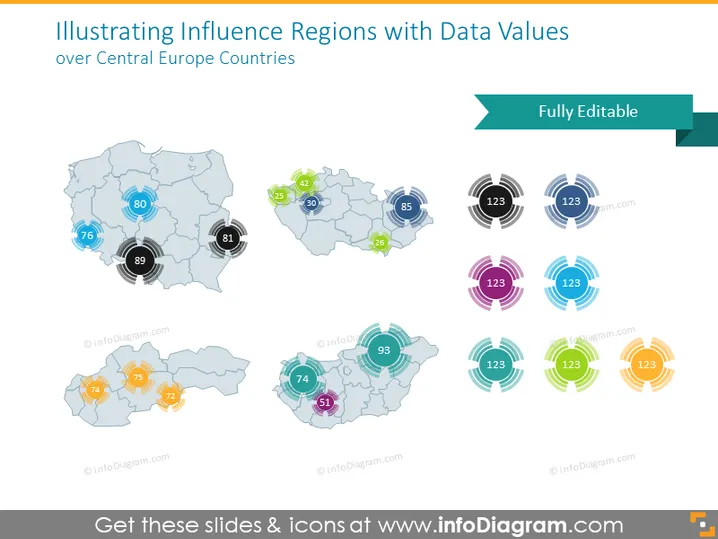
Illustrating Influence Regions with Data Values over Central Europe Countries
Slide Content
This PowerPoint slide appears to present data values indicating influence or metrics over regions in Central Europe. There are several sets of graphics, each representing different countries or regions, with circular icons overlapping the maps to display numerical values. Each numerical value seems to be significant in explaining the level of influence or a particular quantitative measure pertinent to that specific region, which could represent data such as population, economic output, or similar metrics.
Graphical Look
- The background is white and clean to ensure that the graphics stand out.
- There are four separate maps of Central Europe with a soft blue and gray color scheme.
- On each map, circular multilayered icons appear in different colors to highlight specific areas.
- Each icon has a number in its center, suggesting a quantifiable measure linked to that region.
- The color of the circular icons varies. One set uses green and yellow tones, another uses shades of blue, the third set contains pink and purple, and the last set features an orange and yellow gradient.
- A dark green rectangular shape with the text "Fully Editable" is placed in the upper right corner of the slide.
- Each map graphic and icon is designed with a drop shadow effect, giving a slight three-dimensional appearance.
The slide has a professional and modern visual style, with a focus on clarity and ease of data representation. The use of colors is strategic, helping to differentiate between various data points or regions.
Use Cases
- Demonstrating regional sales figures or market shares in a business strategy presentation.
- Presenting statistical data such as population density or GDP by region in an economic report.
- Using in an educational setting to teach geography with emphasis on demography or economic factors.
- Showcasing election results, voter turnout, or survey data in political campaign analyses.
How to Edit
How to edit text & colors

How to expand / shorten diagram

How to Replace Icons in infoDiagram PPT


