Reviews
Sus gráficos añaden un toque agradable a mis presentaciones y recientemente los usé para una de mis reuniones generales. Su conjunto de herramientas añade profesionalismo a mis diapositivas. En lugar de usar imágenes prediseñadas estándar.
Necesitaba un aspecto fresco para algunas de mis diapositivas. Había intentado encontrar una forma de crear un efecto de pincel, de subrayar, acentuar, añadir algo de color y los marcadores escritos a mano fueron justo lo que necesitaba. Muy fácil de usar, fácil de ajustar el tamaño, cambiar el color. Fue una solución asequible y perfecta, y estoy feliz de recomendarla.
El aspecto nítido y limpio de los gráficos, y el hecho de que me permitiera editar y cambiar fácilmente los colores para que coincidieran con la plantilla fue mi principal razón para comprarlos.
Description
DYI Infographics Chart - Opinion
Slide Content
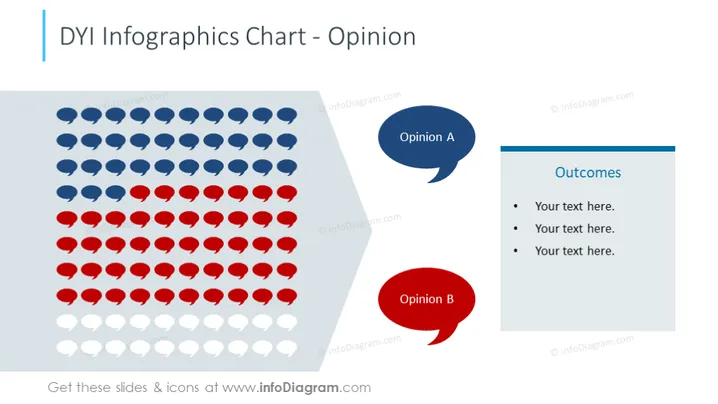
The PowerPoint slide presents a visual structure for comparing two different opinions (labeled Opinion A and Opinion B) using a graphical representation consisting of rows of icons. Next to this, there is a text box titled "Outcomes" with bullet points where one can list the results or conclusions drawn from comparing these opinions. Each opinion is represented by a colored speech bubble, suggesting a dialogue or debate scenario where two perspectives are being evaluated. The rows of icons can provide a quantitative visual comparison, such as voting results or divided stances on a certain issue.
Graphical Look
- The slide background is white, providing a clean backdrop for the content.
- On the left, there is a chart composed of rows of round icons, colored in blue and red, symbolizing two contrasting opinions or groups.
- The red and blue icons are arranged in a pattern that could represent proportions or quantities in a comparison.
- Overlapping the chart on the left is a large, semi-transparent grey speech bubble, creating a visual anchor for the icons.
- Two colored speech bubbles are present, one in dark blue labeled "Opinion A" and one in red labeled "Opinion B," corresponding with the color of the icons.
- A text box with a blue header titled "Outcomes" is positioned to the right, containing placeholder text for three bullet points.
- The text box has a light shadow giving it a slight three-dimensional effect and making it stand out against the background.
The overall look of the slide is professional and visually balanced, with a clear focus on comparing two sets of opinions through both iconography and textual elements. The use of color-coding aids in distinguishing between the perspectives being compared.
Use Cases
- Presenting survey or poll results that show the division of opinions among a group.
- Visualizing pros and cons of a decision during a business meeting.
- Illustrating stakeholder views during a project proposal or business strategy presentation .
- Comparing customer feedback regarding two different products or services in a marketing presentation.
How to Edit
How to edit text & colors

How to expand / shorten diagram

How to Replace Icons in infoDiagram PPT


