Reviews
Your graphics add a nice touch to my presentations and I recently used them for one of my all-hands meetings. Your toolbox adds professionalism to my slides. Instead of using standard clipart.
I needed a fresh look at some of my slides. I've tried to find a way to create a paintbrush effect, to underline, accentuate, add some color and the handwritten markers were just the things. Very easy to use, easy to size, change the color. It was an affordable, perfect solution and I'm happy to recommend it.
The crisp, clean look of the graphics, and the fact that it allowed me to easily edit and change the colors to match the template was my main reason for purchasing them.
Description
Resources & Supplies 3D Icons
Slide Content
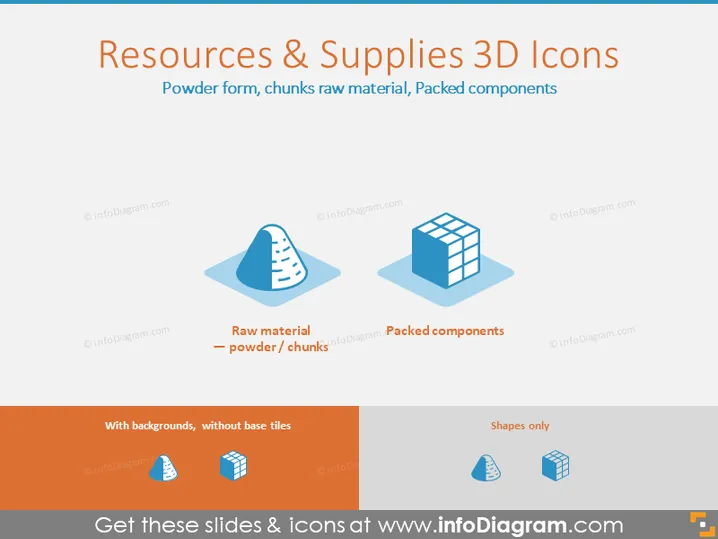
The PowerPoint slide is titled "Resources & Supplies 3D Icons" and demonstrates three different 3D icons representing types of raw materials. The first icon shows a blue pile representing "Raw material – powder/chunks," suggestive of bulk resources in a non-uniform state, which is often used to represent materials before processing. The next icon depicts a cube grid structure labeled "Packed components," indicating items that have been processed and organized, usually for distribution or sale.
Graphical Look
- The slide title "Resources & Supplies 3D Icons" is displayed at the top in large, bold text with a drop shadow effect.
- Below the title, there's a subtitle text "Powder form, chunks raw material, Packed components" in smaller font, clarifying the types of icons demonstrated.
- Three 3D icons are displayed horizontally across the slide, each with a text label and a short connecting line:
- A blue pile symbolizing raw materials in powder or chunk form.
- A cube in grid format representing packed components.
- Each icon rests on a light blue shadowed square, suggesting a base or platform for the items.
- The icons are colored in shades of blue and light blue, maintaining a consistent color theme throughout the slide.
The overall look of the slide is clean and modern with a strong visual hierarchy that guides the viewer from the title to the icons. The color scheme is cohesive and the use of shadows gives the icons a sense of three-dimensionality.
Use Cases
- Explaining the different stages of product manufacturing, from raw materials to packaged goods, in a business presentation.
- Illustrating supply chain elements during a training session for new employees or stakeholders.
- Enhancing visual communication in a report presentation to show inventory types or storage conditions.
- Supporting discussions on process optimization or material handling in management meetings.
How to Edit
How to edit text & colors

How to expand / shorten diagram

How to Replace Icons in infoDiagram PPT


