Reviews
Your graphics add a nice touch to my presentations and I recently used them for one of my all-hands meetings. Your toolbox adds professionalism to my slides. Instead of using standard clipart.
I needed a fresh look at some of my slides. I've tried to find a way to create a paintbrush effect, to underline, accentuate, add some color and the handwritten markers were just the things. Very easy to use, easy to size, change the color. It was an affordable, perfect solution and I'm happy to recommend it.
The crisp, clean look of the graphics, and the fact that it allowed me to easily edit and change the colors to match the template was my main reason for purchasing them.
Description
January, February (EU)
Slide Content
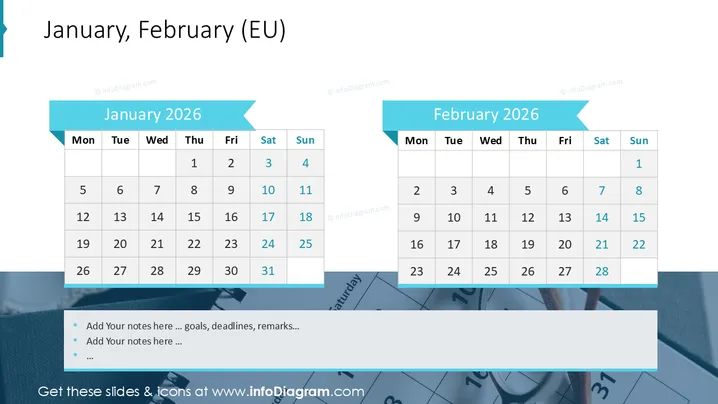
The slide represents calendars for January and February 2026 , demonstrating a European (EU) date format starting with Monday. The January calendar shows a full month with 31 days, while the February calendar only has 28 days, indicating a non-leap year. Each day of the week is labeled from Monday to Sunday, and dates follow typical EU conventions, such as starting the week on Monday.
Graphical Look
- The slide background is white which allows for clear visibility of content.
- There are two main content areas, one for each month, with the months' names in large, bold text on light blue banners.
- These banners have a ribbon effect on their right side, creating a dynamic look.
- Below each banner is a structured table representing the calendar for that month, with each day occupying a cell.
- The days of the week are at the top of each calendar, highlighted with a darker blue shade than the banners.
- Weekend days (Saturday and Sunday) are lighter than weekday cells, distinguishing them visually.
- There's a decorative teal ribbon in the top left corner which aligns with the overall color scheme but does not interfere with the content.
The overall look is clean and professional with a light blue color scheme that is pleasant and not visually overbearing.
Use Cases
- Planning and scheduling projects or events during these specific months.
- Highlighting important dates, deadlines, or milestones within a corporate timeline.
- Integrating into a broader presentation to showcase seasonality effects on business activities.
- Using as a visual aid during meetings to reference when discussing past or future activities or performances.
How to Edit
How to edit text & colors

How to expand / shorten diagram

How to Replace Icons in infoDiagram PPT


