Reviews
Your graphics add a nice touch to my presentations and I recently used them for one of my all-hands meetings. Your toolbox adds professionalism to my slides. Instead of using standard clipart.
I needed a fresh look at some of my slides. I've tried to find a way to create a paintbrush effect, to underline, accentuate, add some color and the handwritten markers were just the things. Very easy to use, easy to size, change the color. It was an affordable, perfect solution and I'm happy to recommend it.
The crisp, clean look of the graphics, and the fact that it allowed me to easily edit and change the colors to match the template was my main reason for purchasing them.
Description
Key Budget Assumptions
Slide Content
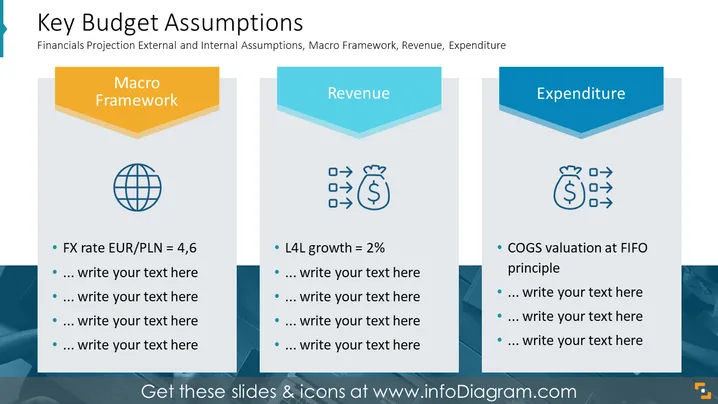
The slide title is "Key Budget Assumptions," followed by a subtitle noting it involves financial projections, macro framework analysis, revenue, and expenditure. It's divided into three sections: "Macro Framework," "Revenue," and "Expenditure." Each section contains a placeholder for additional text and an example point: the Macro Framework cites an "FX rate EUR/PLN = 4,6," possibly a currency exchange rate; Revenue mentions "L4L growth = 2%," likely referring to like-for-like sales growth; and Expenditure notes "COGS valuation at FIFO principle," which likely means the cost of goods sold is calculated using the First-In, First-Out accounting methodology.
Graphical Look
- The slide has a light blue background with darker blue angular shapes at the bottom corners.
- Each section is visually demarcated with a distinct color-coded header: orange for Macro Framework, lighter blue for Revenue, and darker blue for Expenditure.
- Flattened three-dimensional chevron shapes are utilized for the headers, creating a sense of depth.
- Below each header is an icon reflecting the theme of the section: a globe for Macro Framework, money-related symbols (coins and bills) for Revenue, and a sack with a dollar sign for Expenditure.
- Bullet point lists under each icon provide space for specifics related to those topics, with an example item and ellipses signaling where additional information can be added.
The slide utilizes a professional, clean design with a balanced use of colors and shapes to differentiate between sections. The icons and placeholder text indicate it's a template meant for customization.
Use Cases
- To present financial assumptions in a business plan or budget proposal.
- During a board or investor meeting to outline key metrics and projections.
- In a financial analysis seminar, demonstrating how to evaluate and present different financial components.
- As a teaching tool in business education settings to explain how macro economic factors, revenue streams, and costs are integrated into financial planning.
How to Edit
How to edit text & colors

How to expand / shorten diagram

How to Replace Icons in infoDiagram PPT


