Reviews
Sus gráficos añaden un toque agradable a mis presentaciones y recientemente los usé para una de mis reuniones generales. Su conjunto de herramientas añade profesionalismo a mis diapositivas. En lugar de usar imágenes prediseñadas estándar.
Necesitaba un aspecto fresco para algunas de mis diapositivas. Había intentado encontrar una forma de crear un efecto de pincel, de subrayar, acentuar, añadir algo de color y los marcadores escritos a mano fueron justo lo que necesitaba. Muy fácil de usar, fácil de ajustar el tamaño, cambiar el color. Fue una solución asequible y perfecta, y estoy feliz de recomendarla.
El aspecto nítido y limpio de los gráficos, y el hecho de que me permitiera editar y cambiar fácilmente los colores para que coincidieran con la plantilla fue mi principal razón para comprarlos.
Description
Seven Layers 3D Stacked Semi-Transparent Pyramid
Slide Content
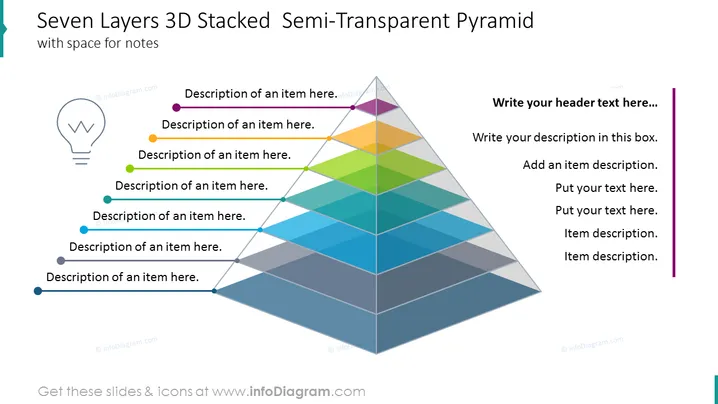
The slide features a title "Seven Layers 3D Stacked Semi-Transparent Pyramid" indicating a visual representation of a hierarchical structure with seven levels. Each level, represented by a differently colored translucent layer, has an associated descriptive bullet point beside it. This suggests that the pyramid is a model for illustrating a progression, various stages, or a classification system. The right side of the slide offers additional space for a header and detailed text descriptions, indicating that each layer of the pyramid can be expounded upon with corresponding explanations.
Graphical Look
- A large, three-dimensional pyramid dominates the center, with each layer tinted in a unique color, creating a gradient from dark blue at the base to light blue at the top.
- To the left of the pyramid, there are seven bullet points, each corresponding to a layer of the pyramid and color-coordinated to match.
- Each bullet point includes a colored circle and a line that matches the respective color of the pyramid layer it represents.
- On the left side above the bullet points, there's a lightbulb icon that suggests the possibility of creativity or ideas.
- On the right side of the slide, there is a vertical purple bar with space for additional text. Within this bar are prompts for inserting a header and multiple lines of description.
- The slide's background is white, which helps the colors of the pyramid and the textual elements stand out.
The slide has a clean and modern design, using color coordination to visually link text to specific sections of the pyramid. The semi-transparent layers allow for depth perception, emphasizing the hierarchical structure.
Use Cases
- Explaining organizational structures or hierarchies in a corporate setting, such as company positions or tiers of management.
- Describing step-by-step processes in project management, product development, or service delivery.
- Visualizing levels of priority in strategic planning or investment, where each level of the pyramid represents a different priority or focus area.
- Presenting the breakdown of concepts or elements within a theory or model, such as Maslow's hierarchy of needs in a psychology or business context.
How to Edit
How to edit text & colors

How to expand / shorten diagram

How to Replace Icons in infoDiagram PPT


