Reviews
Your graphics add a nice touch to my presentations and I recently used them for one of my all-hands meetings. Your toolbox adds professionalism to my slides. Instead of using standard clipart.
I needed a fresh look at some of my slides. I've tried to find a way to create a paintbrush effect, to underline, accentuate, add some color and the handwritten markers were just the things. Very easy to use, easy to size, change the color. It was an affordable, perfect solution and I'm happy to recommend it.
The crisp, clean look of the graphics, and the fact that it allowed me to easily edit and change the colors to match the template was my main reason for purchasing them.
Description
Monocolor Darts Infographics – 6 Elements
Slide Content
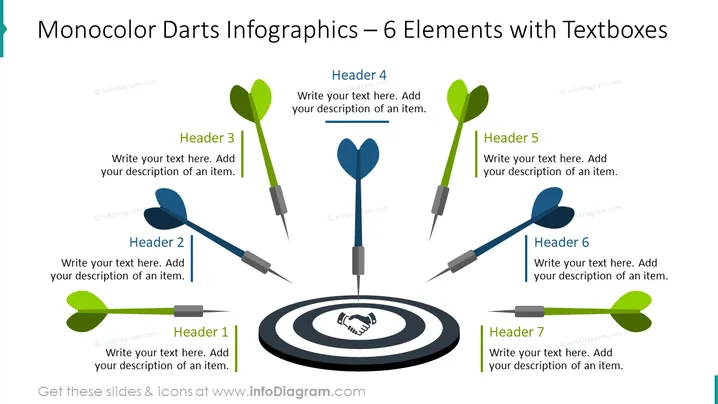
This PowerPoint slide, titled "Monocolor Darts Infographics – 6 Elements," presents a central concept, the bullseye, surrounded by six dart icons pointing towards it. Each dart is associated with a different header (Header 1 to Header 6) and an adjoining text box where a description of an item can be added. The metaphor of darts hitting a target is often used to represent achieving goals, precision in execution, or addressing specific points within a broader topic.
Graphical Look
- Central to the slide is a bullseye target graphic in shades of grey and black with a handshake silhouette in the center circle.
- Surrounding the bullseye are six darts, equally spaced and directed towards the target.
- Each dart has a corresponding color-highlighted header (Headers 1 to 6).
- Next to each header is a text box for adding a description pertaining to that element.
- The darts and headers are colored in two shades: three in green and three in blue.
- The darts are three-dimensional with a slight shadow, giving them a realistic appearance.
- Text placeholders are provided for each header and description to be filled in with relevant content.
The slide is visually balanced, with a mix of graphical elements and text boxes. The symmetrical arrangement with a central focal point and satellite elements creates a sense of harmony and focus.
Use Cases
- To showcase a company's key strategic objectives and how they converge towards a central goal.
- For presentations requiring a visual metaphor to discuss targeted results or pinpoint precision in various business operations.
- Ideal for marketing or sales presentations to illustrate core product features or service offerings targeting specific market segments.
- Useful in educational or training settings to highlight step-by-step processes directed towards achieving a specific outcome.
How to Edit
How to edit text & colors

How to expand / shorten diagram

How to Replace Icons in infoDiagram PPT


