Reviews
Your graphics add a nice touch to my presentations and I recently used them for one of my all-hands meetings. Your toolbox adds professionalism to my slides. Instead of using standard clipart.
I needed a fresh look at some of my slides. I've tried to find a way to create a paintbrush effect, to underline, accentuate, add some color and the handwritten markers were just the things. Very easy to use, easy to size, change the color. It was an affordable, perfect solution and I'm happy to recommend it.
The crisp, clean look of the graphics, and the fact that it allowed me to easily edit and change the colors to match the template was my main reason for purchasing them.
Description
Slide Content
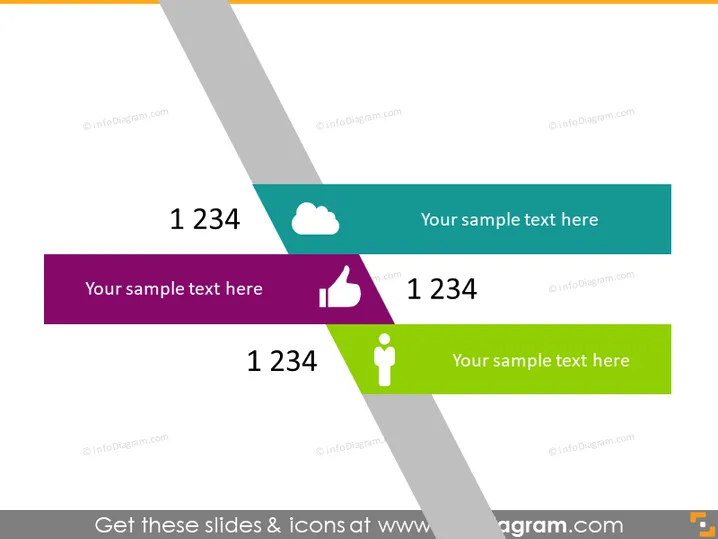
The PowerPoint slide seems to be a template for displaying key metrics or ideas with accompanying symbols and text. There are four colorful banners, each containing a large number "1234," which appears to be a placeholder for actual data or points. Next to the figures, there's space for additional explanatory text or a title for the metric. Icons are placed beside the sample text, each representing different themes—a cloud, a thumbs up, and a person symbol—hinting at metrics related to technology, approval, and individual performance or demographics.
Graphical Look
- The slide has a clear, modern design with a white background overlain by diagonal, translucent gray stripes creating a subtle texture.
- Four banners of different colors (teal, purple, dark teal, and green) overlap these stripes.
- Each banner features a large, bold white number "1234" positioned on the left, suggesting a place for a key figure or statistic.
- To the right of the number in each banner is a placeholder text "Your sample text here," indicating where additional information or a title could be placed.
- Each banner also includes a distinctive icon: a cloud, a thumbs up, and a person silhouette, corresponding to different conceptual categories.
- The banners are arranged in a staggered, overlapping fashion, which adds depth and emphasizes each individual element while still creating a cohesive design.
The overall look of the slide is sleek and professional, with a dynamic use of color and shapes that draw attention to the key elements. The design allows for easy customization while clearly conveying essential information at a glance.
Use Cases
- Displaying key performance indicators (KPIs) during a business performance review to quickly show important metrics.
- Summarizing customer feedback stats, with each banner representing different aspects like satisfaction rates or net promoter scores.
- Presenting user engagement or demographic statistics in a social media or marketing report.
- Highlighting essential numerical data in a financial presentation, such as quarterly sales figures or growth percentages.
How to Edit
How to edit text & colors

How to expand / shorten diagram

How to Replace Icons in infoDiagram PPT


